My Agreements
Review your own investor agreement, the costs you pay by transfer, and your monthly statement.
This page is what an investor sees at Investor > Investor Agreements. Investors do not manage agreements -- the finance team does that -- they use this page to check their own agreement, the costs they still have to pay by bank transfer, and the statement for each payroll period.
Navigation: Investor > Investor Agreements
An investor only ever sees their own agreements. The API returns the agreements of the logged-in investor, and opening another investor's id simply shows Agreement not found. There is no way to switch to someone else's agreement from this page.
The Agreements List
The list has one row per agreement. When the investor has no agreement at all, the table shows You have no investor agreement yet.
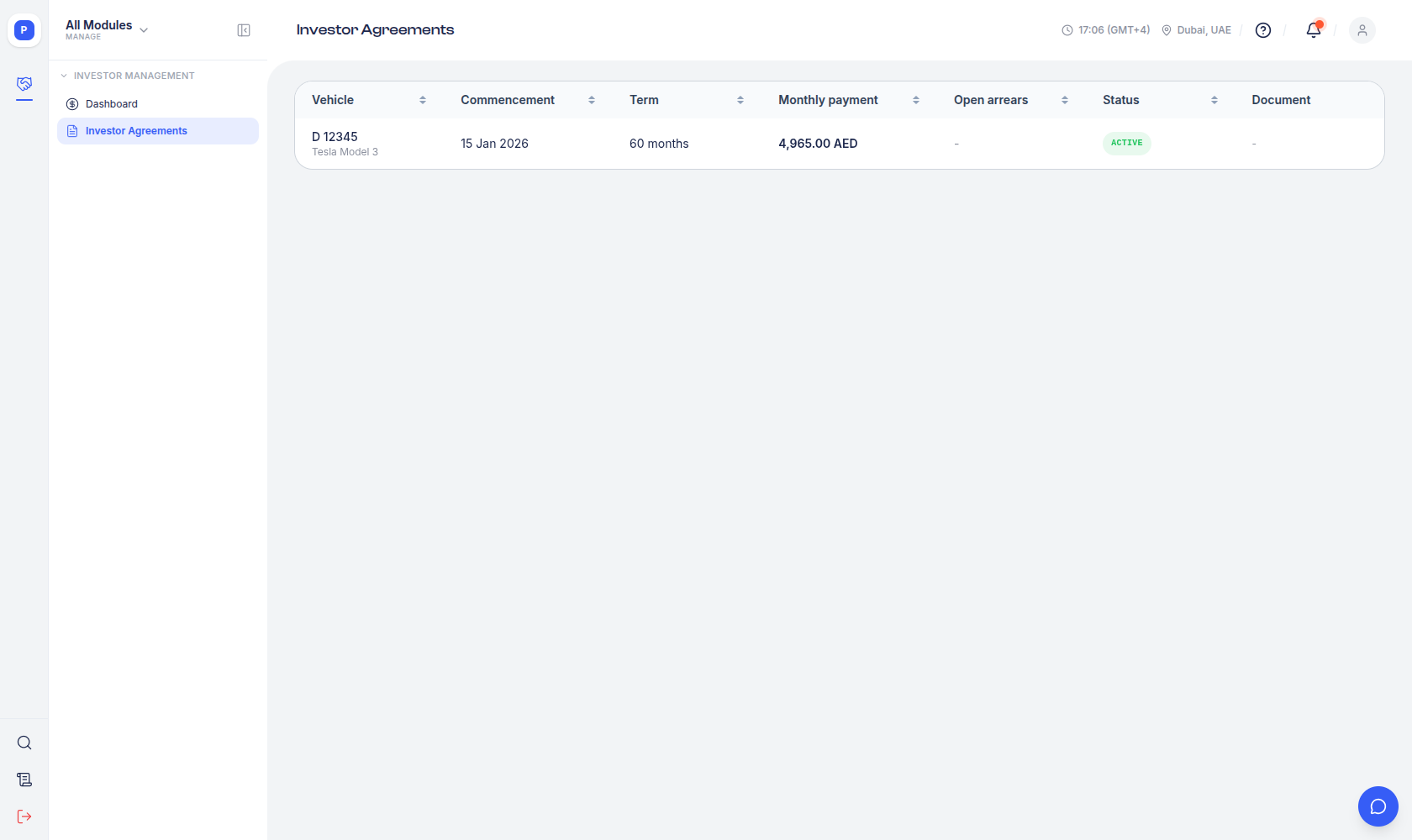
| Column | Description |
|---|---|
| Vehicle | The plate number, with the model underneath |
| Commencement | The date the agreement started |
| Term | The length of the agreement in months |
| Monthly payment | The monthly payment currently in effect |
| Open arrears | Anything still owed, in red; a dash when nothing is outstanding |
| Status | A badge with the agreement status |
| Document | Preview when a signed PDF was uploaded, otherwise a dash |
Clicking a row opens the agreement. Preview opens the signed PDF in a viewer without leaving the page; the viewer also offers a download.
The Agreement Page
There is an All agreements link at the top to go back to the list.
Header
The header shows the plate and model, then a line such as From 05 Jan 2026 · 48 months · payment due on day 5 of each month, and the status badge.
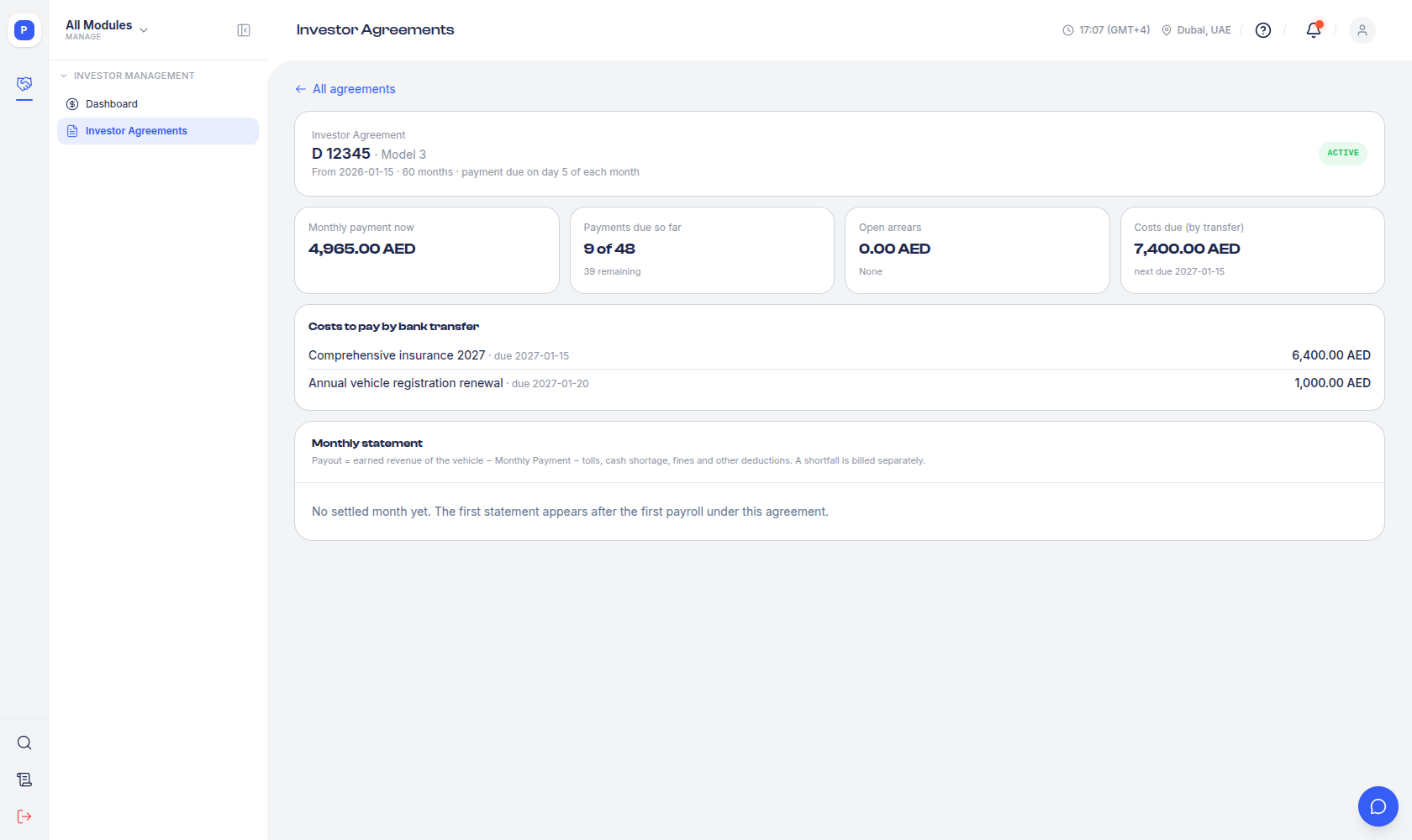
Preview agreement and Download agreement (PDF) appear only when a signed PDF has been uploaded. If only a link was recorded for the document, the header offers Open agreement to open it in a new tab instead.
Summary cards
| Card | Contents |
|---|---|
| Monthly payment now | The current monthly payment |
| Payments due so far | For example 9 of 48, with 39 remaining underneath |
| Open arrears | Anything outstanding, with the number of unpaid months when there is one |
| Costs due (by transfer) | The amount still owed by bank transfer, with the next due date |
Costs to pay by bank transfer
When something is due, a short list appears under the cards with each cost, its due date and its amount. These costs are not deducted from payroll -- the investor pays them by bank transfer, and the finance team records the payment. When nothing is due the list is hidden. The same costs are listed on the staff side, where they are billed and marked paid.
Monthly statement
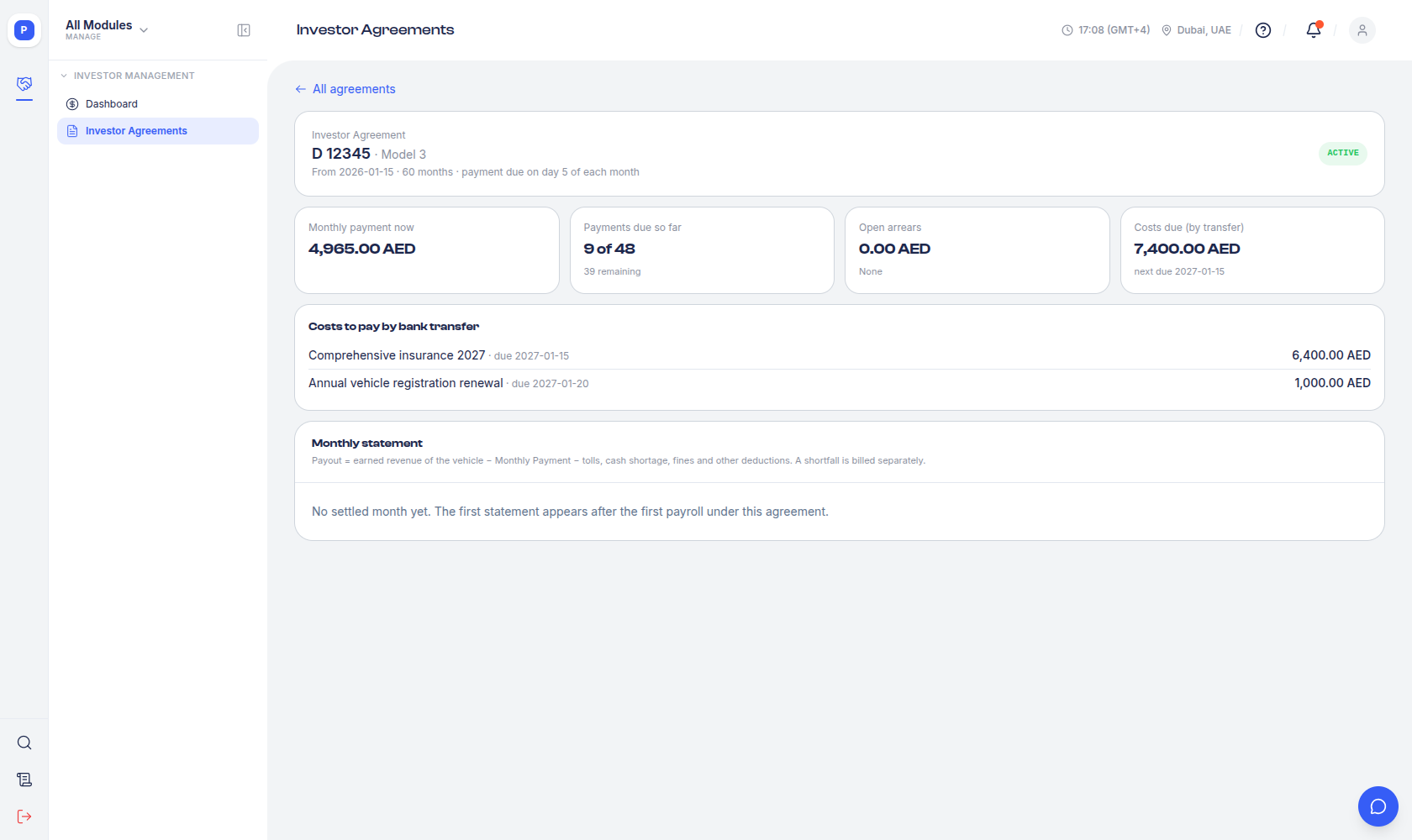
One row per payroll since the agreement started, with the note that Payout = earned revenue of the vehicle − Monthly Payment − tolls, cash shortage, fines and other deductions. A shortfall is billed separately.
| Column | Description |
|---|---|
| Period | The payroll period. Marked provisional while that payroll has not been completed |
| Earned revenue | Revenue the vehicle earned in the period |
| Monthly payment | The monthly payment deducted |
| Other deductions | Every other deduction in the period, shown as an amount |
| Payout | What the investor receives |
| Shortfall | What the revenue could not cover, when the deductions were larger than the revenue. Any arrear on the period is noted underneath as paid or outstanding |
Clicking a row expands it into the individual amounts behind the period: platform trips, bookings, tips included, each monthly payment component with the due date it belongs to, personal tolls (Salik), cash shortage, fines, expenses, loan repayment and liabilities.
Before the first payroll has settled, the section reads No settled month yet. The first statement appears after the first payroll under this agreement. The first row appears once a payroll that used this agreement exists, and stays marked provisional until that payroll is completed.
Next Steps
- Investor Agreements overview -- What the module tracks and who sees what
- Agreements -- The staff side, where agreements, costs and arrears are managed
- Payroll -- How the monthly payment and the payout are calculated