Bank Info
Store the account Finance uses to pay your salary, reimbursements, and loan disbursements.
Bank Info holds your personal payout details. Finance uses them to send your salary, expense reimbursements, and any loan disbursement to the right account. You have a single bank record; there is no list of accounts and nothing to add or remove.
Navigation: Settings > My Profile > Profile > Bank Info
Overview
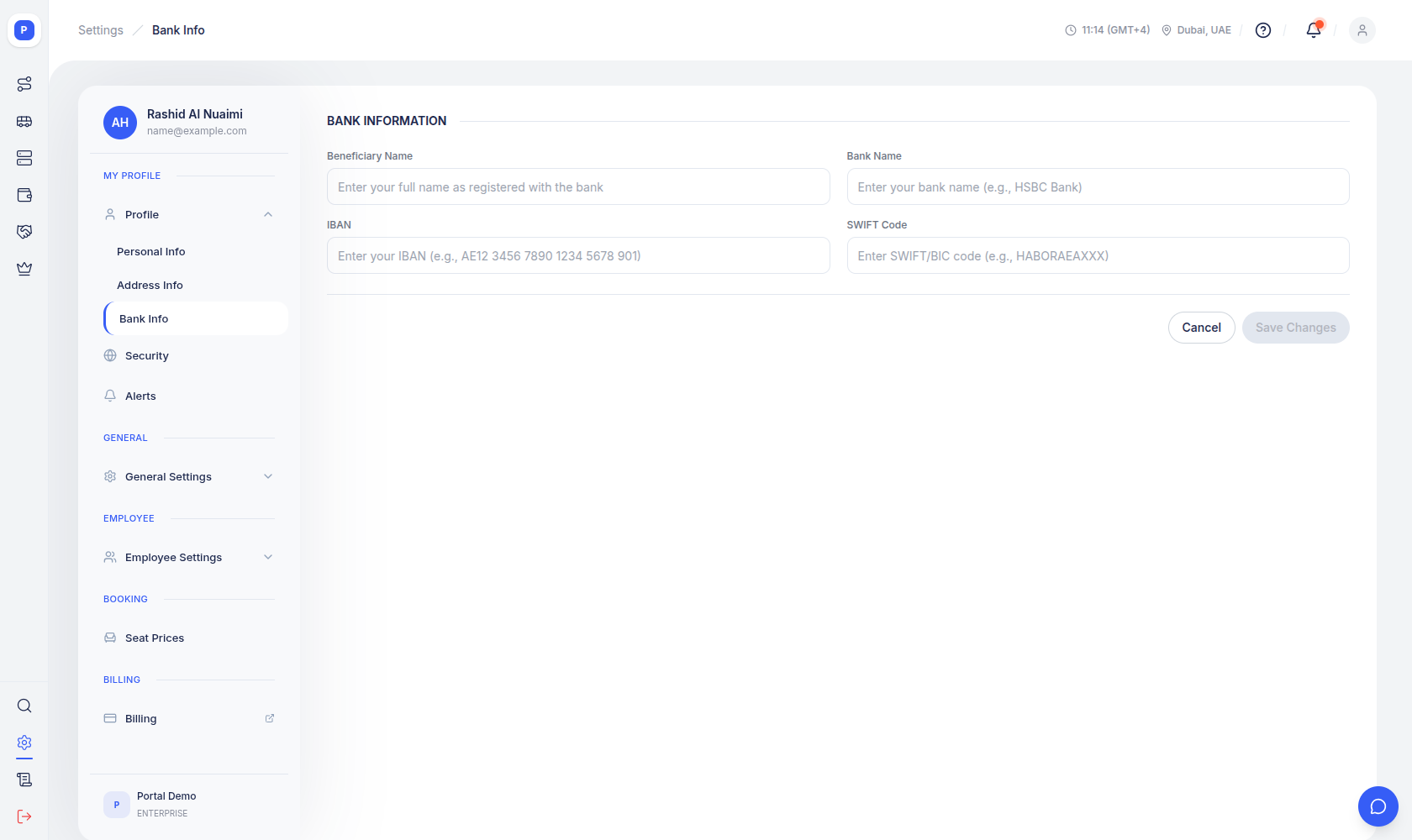
Bank Info is a separate page, not a tab on Personal Info. It has one card titled Bank Information with four fields and the usual Cancel / Save Changes bar.
Fields
| Field | Control | Notes |
|---|---|---|
| Beneficiary Name | Text | Your full name exactly as registered with the bank |
| Bank Name | Text | For reference; the transfer itself is routed by IBAN |
| IBAN | Text | The international account number, including the country prefix |
| SWIFT Code | Text | Bank identifier, needed mainly for international transfers |
For UAE accounts, an IBAN starts with AE followed by 21 digits. Local transfers are routed by the IBAN alone; the SWIFT/BIC code matters when money is sent from abroad.
These details are private. Bank information is visible only to you and to the Finance/payroll staff authorised to run payouts. Other users in your company cannot see it.
Double-check the IBAN and SWIFT code before saving. There is no format validation in this form -- any text is accepted -- and a single wrong character is enough for a transfer to bounce or land in the wrong account. Once saved, these details are what Finance uses for all future payouts, so verify them against your bank statement, IBAN certificate, or bank app, not from memory.
Saving Your Changes
- Save Changes stays disabled until a field changes, then shows Saving... while the request is in flight.
- Cancel reverts every field to the last saved values; nothing is written until you save.
- A successful save shows the toast Profile updated successfully.
Fields you empty out are saved as empty, so a bank record can be cleared from this page -- but see the warning above before you do.
What to Check
- Beneficiary Name matches the account holder name at the bank exactly. A mismatch between this field and the IBAN's registered owner is the most common cause of a returned salary transfer.
- IBAN has no spaces or typos; group it the way your bank prints it if that helps you verify the digits.
- SWIFT Code is complete -- for UAE banks it is usually eight or eleven characters ending in a branch suffix.
- If you changed banks, update all four fields in one save so payroll never picks up a mixture of old and new details.
Related Pages
- Personal Info -- name, contact details, and emergency contact
- Address Info -- residential address for official documents
- Account Security -- email, notifications, devices, and account deletion
- Settings Overview -- how settings are organised and who manages them