Address Info
Keep your residential address current for contracts, payroll records, and official correspondence.
Address Info stores where you live. HR uses it on the employment contract, in payroll records, and when physical paperwork has to reach you -- uniforms, IDs, letters. You have a single address record; there is no list and nothing to add or remove, just one set of fields to keep accurate.
Navigation: Settings > My Profile > Profile > Address Info
Overview
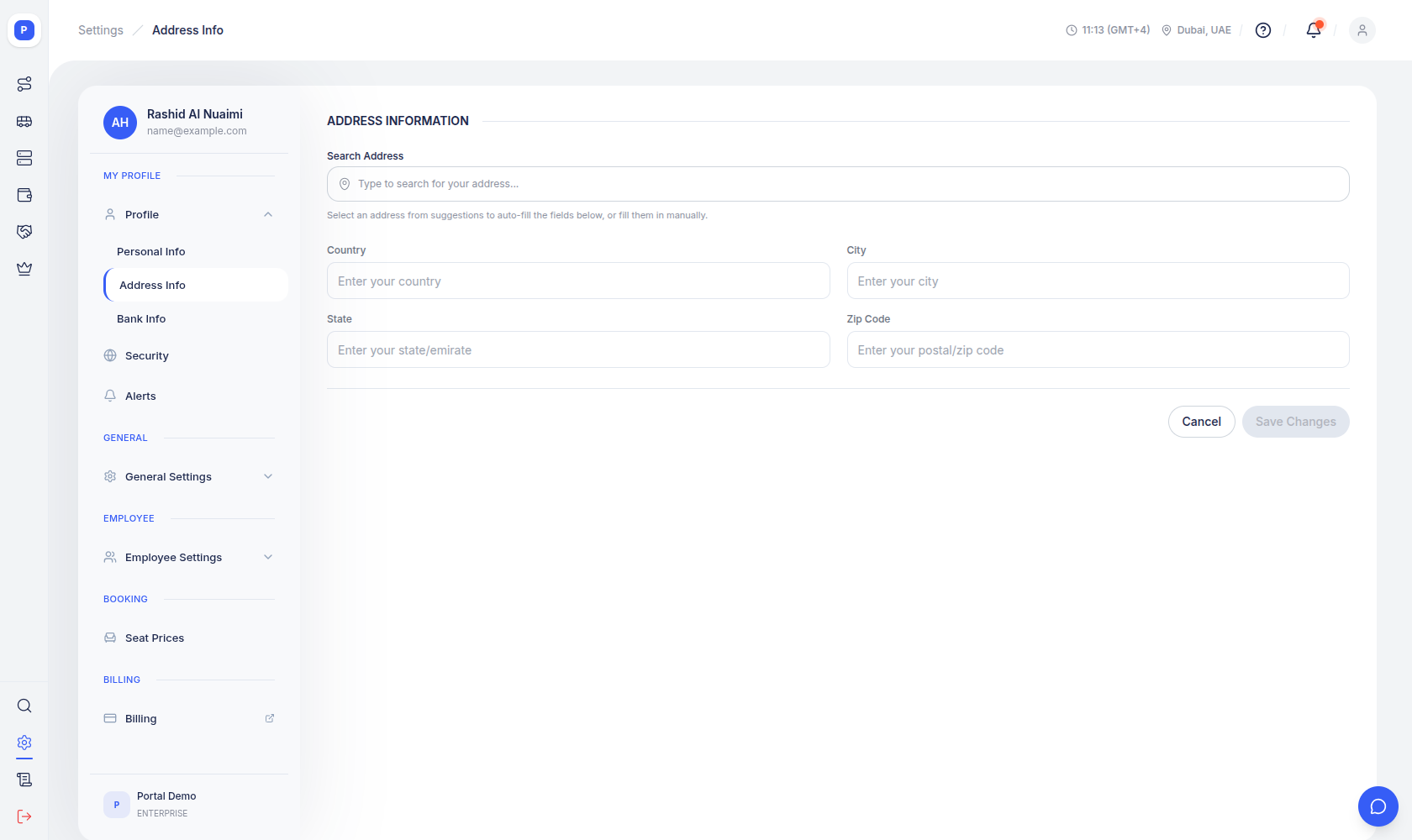
Address Info is a separate page, not a tab on Personal Info. It has one card titled Address Information with an address search box, four location fields, and the usual Cancel / Save Changes bar.
Filling In Your Address
The quickest path is the search box at the top, labelled Search Address with the placeholder Type to search for your address.... It uses Google Places autocomplete:
- Start typing your address and pick the matching suggestion.
- The fields below -- country, city, state, and zip code -- fill in from the selected place.
- Adjust any field that came through slightly wrong. All four remain editable after auto-fill.
- Click Save Changes.
The helper text under the box reminds you that manual entry is equally valid: select a suggestion to auto-fill, or type the fields yourself.
Autocomplete needs the Google Places service to be reachable from your browser. If no suggestions appear -- for example in a rural area, a new build, or a private compound -- simply type the country, city, state, and zip code by hand. Nothing else on the page depends on the search box.
Fields
| Field | Control | Notes |
|---|---|---|
| Search Address | Autocomplete input | Holds the full address string; picking a suggestion fills the rows below |
| Country | Text | Country of residence |
| City | Text | City or municipality |
| State | Text | In the UAE this is your emirate -- Dubai, Abu Dhabi, Sharjah, and so on |
| Zip Code | Text | Postal code; many UAE areas use 00000 when the building has no postal code |
Saving Your Changes
- Save Changes stays disabled until something on the page changes, then shows Saving... while the request is in flight.
- Cancel discards your edits and reloads the last saved values -- including the address in the search box. Nothing is written until you save.
- A successful save shows the toast Profile updated successfully.
Fields you empty out are saved as empty, so an address can be cleared from this page if it is no longer needed.
Keep this address current. It is used on official and payroll documents, so a stale address can mean contracts, payslips, or physical deliveries go to the wrong place. Update it whenever you move.
What to Check
- State is your emirate, not a district or neighbourhood.
- Zip Code is optional in practice; use 00000 rather than leaving an outdated code in place.
- The full address string matches the country, city, state, and zip code below it -- auto-filled places occasionally split a street name oddly.
- Your name and other identity details are correct on Personal Info, which is where HR pulls the rest of the contract data from.
Related Pages
- Personal Info -- name, contact details, and emergency contact
- Bank Info -- payout details used by Finance for salary
- Account Security -- email, notifications, devices, and account deletion
- Settings Overview -- how settings are organised and who manages them