FinanceFines
Editing a Fine
How to change the details of an existing fine.
Use Edit Fine to correct a fine that was entered wrongly, for example the amount, the date or the description.
Open the Edit Form
There are two ways to open it:
- In the Fines List, click the ... button at the end of the row and choose Edit
- In the Fine Details panel, click the pencil button at the top
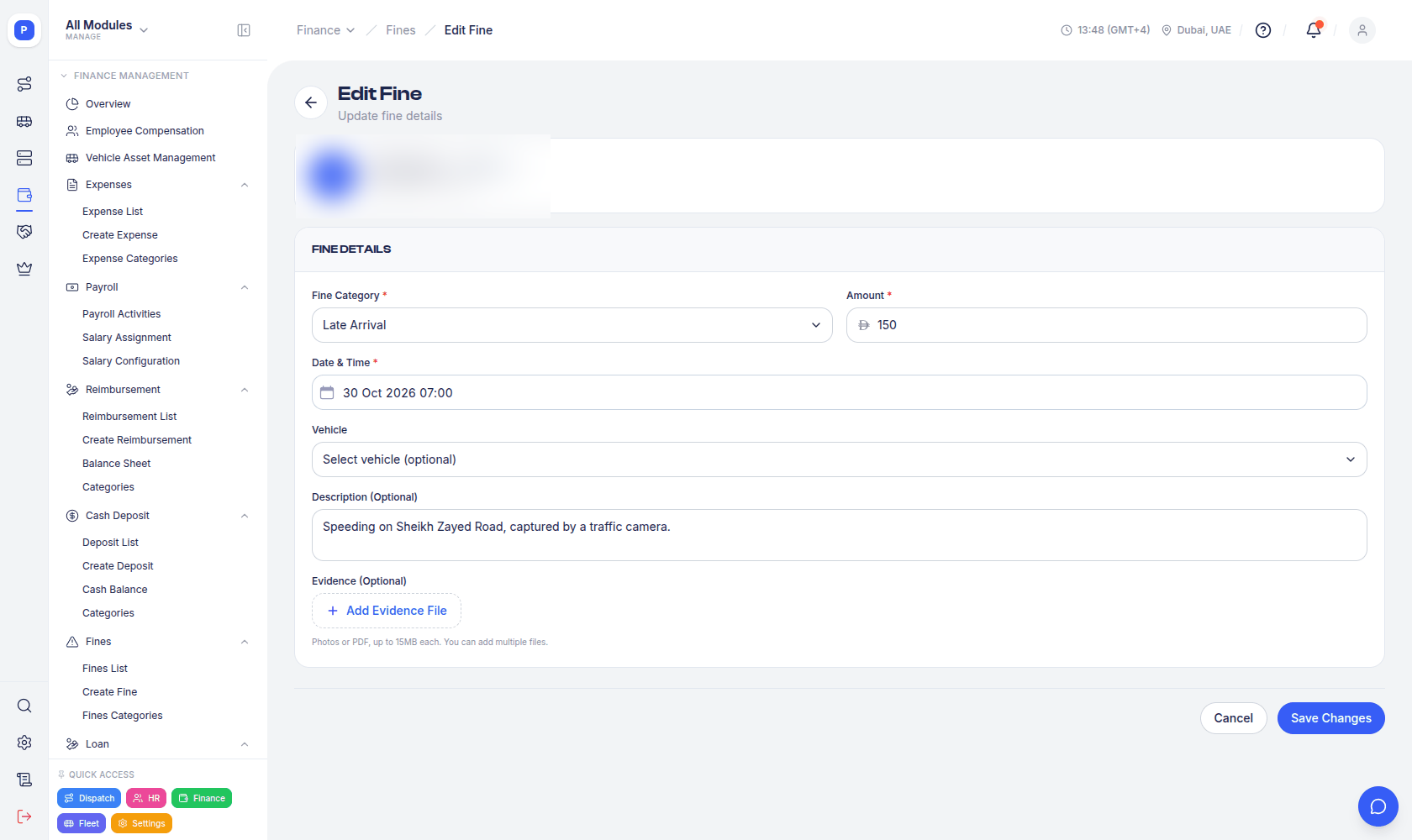
The header shows the employee, with their code and role, and the status of the fine. The Fine Details card holds the same fields as the Create form.
What You Can Change
| Field | Notes |
|---|---|
| Fine Category | Choose another category |
| Amount | The fine amount in AED |
| Date & Time | When the violation happened |
| Vehicle | The vehicle involved (optional) |
| Description | Details about the violation (optional) |
| Evidence | Add or remove photos and PDFs (optional) |
Save or Leave
- Click Save Changes to store your changes and return to the list
- Click Cancel to leave without saving
The Edit action is shown to users who have the edit permission for Fines. If your role can open the form but not edit, the fields are read-only.