Loan Types
Define the kinds of loan your company offers - amounts, interest, tenure, eligibility and whether they need approval.
Finance > Loan > Loan Types lists the loan types, and a loan type holds the rules that every loan of that type is checked against (see Create Loan). It needs the view permission of Loan Management; add, edit and delete are needed for the matching actions.
The list
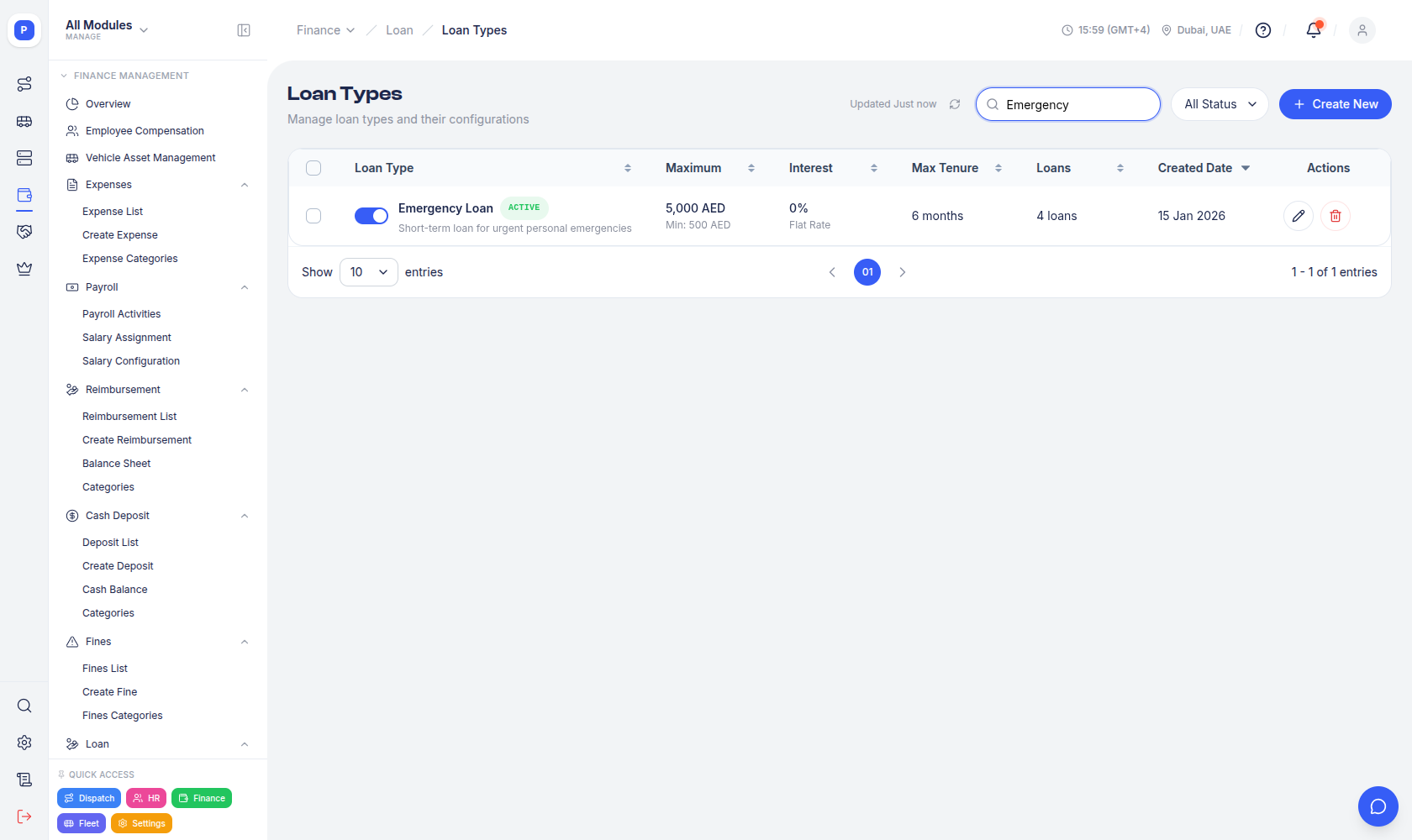
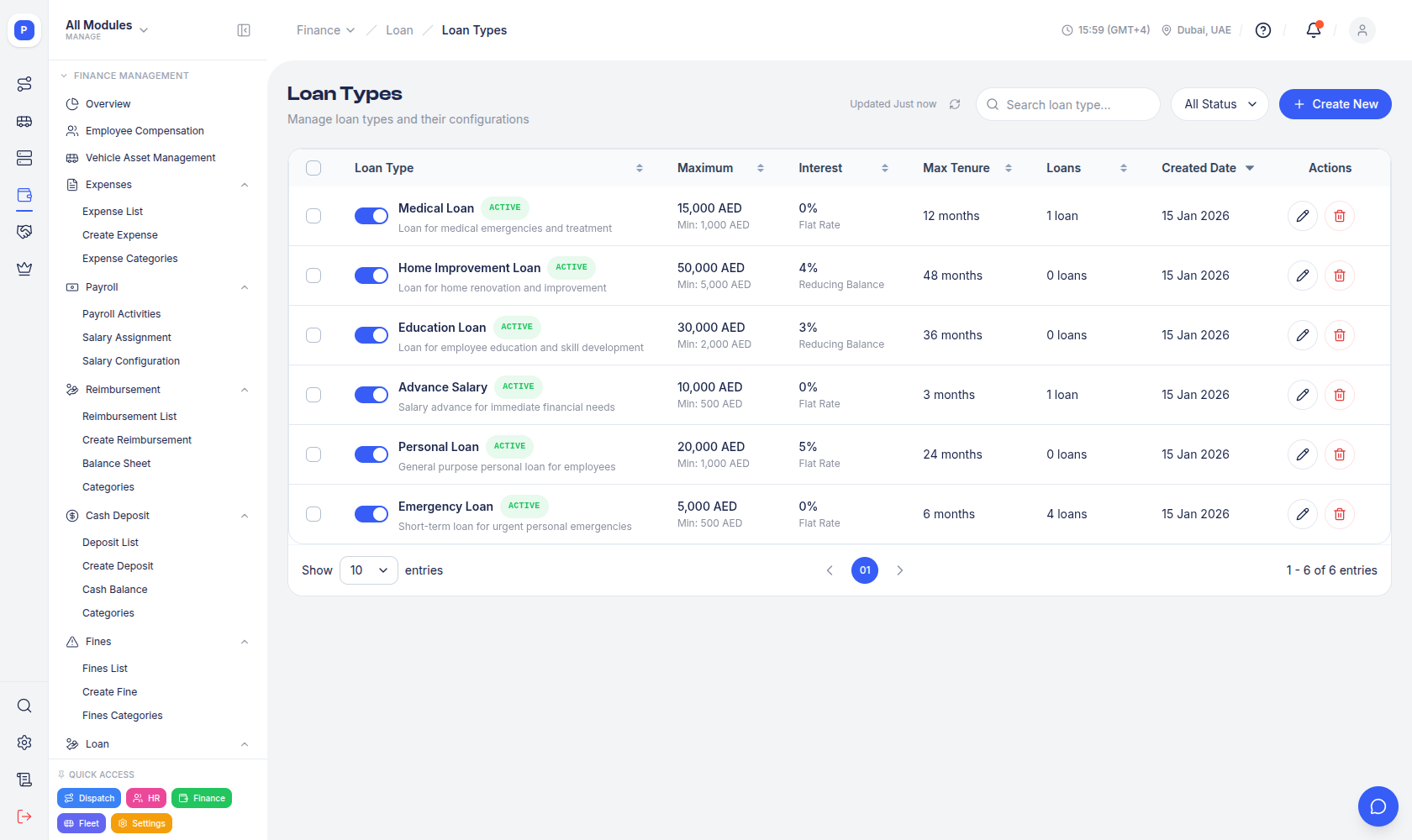
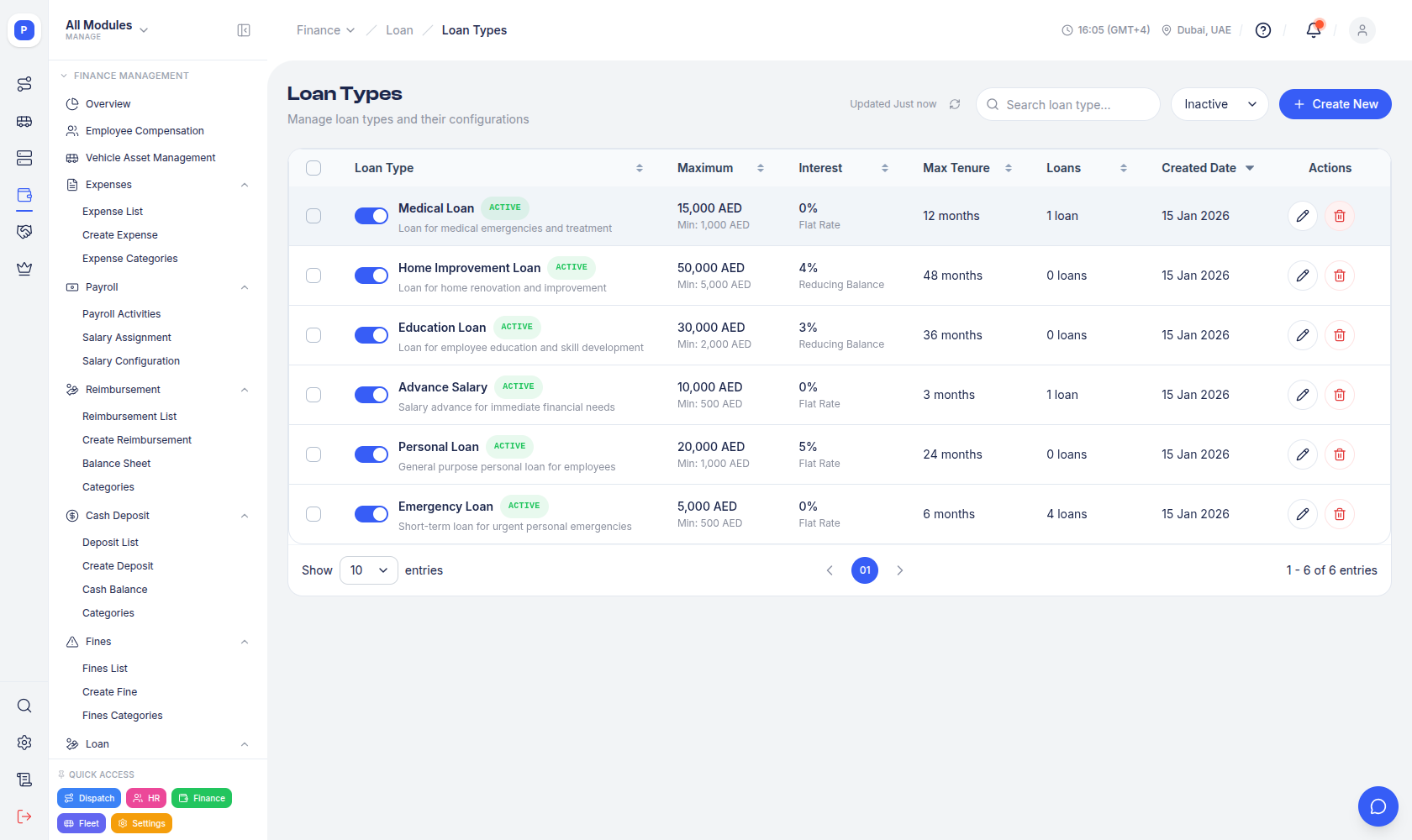
- Header - the title (Manage loan types and their configurations), the last update with a refresh button, a search box (Search loan type...), a status filter (All Status, Active, Inactive) and Create New.
- Columns - a check box, then Loan Type (a switch that turns it on or off, the name with its ACTIVE / INACTIVE badge, and the description below), Maximum (the maximum amount, with the minimum below it), Interest (the rate, with the interest type below it), Max Tenure (in months), Loans (how many loans use the type, for example 4 loans), Created Date and Actions. The list is paged and sorted by the server (click a header to sort), and the columns can be hidden.
- Actions - a pencil button opens the edit window and a bin button asks to delete the type. Right-clicking a row opens a menu with Edit Loan Type and Delete Loan Type.
The switch in the name column activates or deactivates the type at once (Loan type activated successfully / deactivated successfully). An inactive type is not offered on Create Loan.
Add or edit a loan type
Create New opens the Add Loan Type window, and Edit Loan Type opens the same window as Edit Loan Type, filled in.
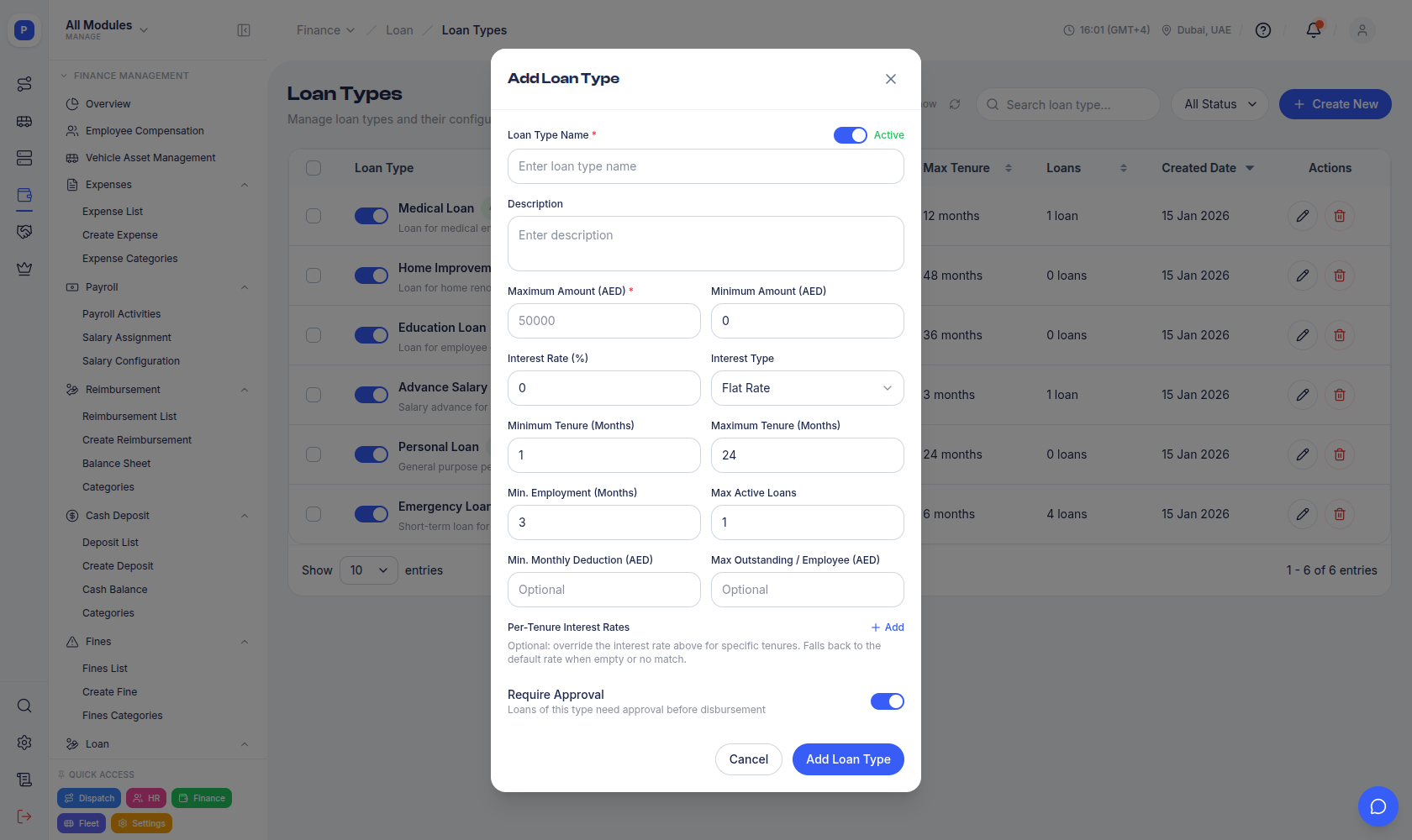
| Field | Meaning |
|---|---|
| Active switch | Whether the type can be used (on by default) |
| Loan type name | The name, for example Advance Salary |
| Description | Free text |
| Maximum Amount (AED) * | The highest loan amount. Required |
| Minimum Amount (AED) | The lowest loan amount |
| Interest Rate (%) | The default yearly rate |
| Interest Type | Flat Rate or Reducing Balance (see Create Loan) |
| Minimum Tenure (Months) / Maximum Tenure (Months) | The allowed loan terms (1 and 24 are suggested) |
| Min. Employment (Months) | How long the employee must have worked (hire date) before taking this loan |
| Max Active Loans | How many loans of this type an employee may have at once (1 is suggested). The value is saved, but the server does not check it when a loan is created: use Max Outstanding / Employee to limit what one employee can owe |
| Min. Monthly Deduction (AED) | Optional floor for the monthly installment |
| Max Outstanding / Employee (AED) | Optional ceiling for what an employee may owe on this type (existing pending, approved and active loans count) |
| Per-Tenure Interest Rates | Optional rates for certain terms: Add a row with the number of months and a Rate %; a loan with that exact term uses the row's rate instead of the default |
| Require Approval | When on (the default) a new loan starts as Pending and must be approved; when off it starts as Active |
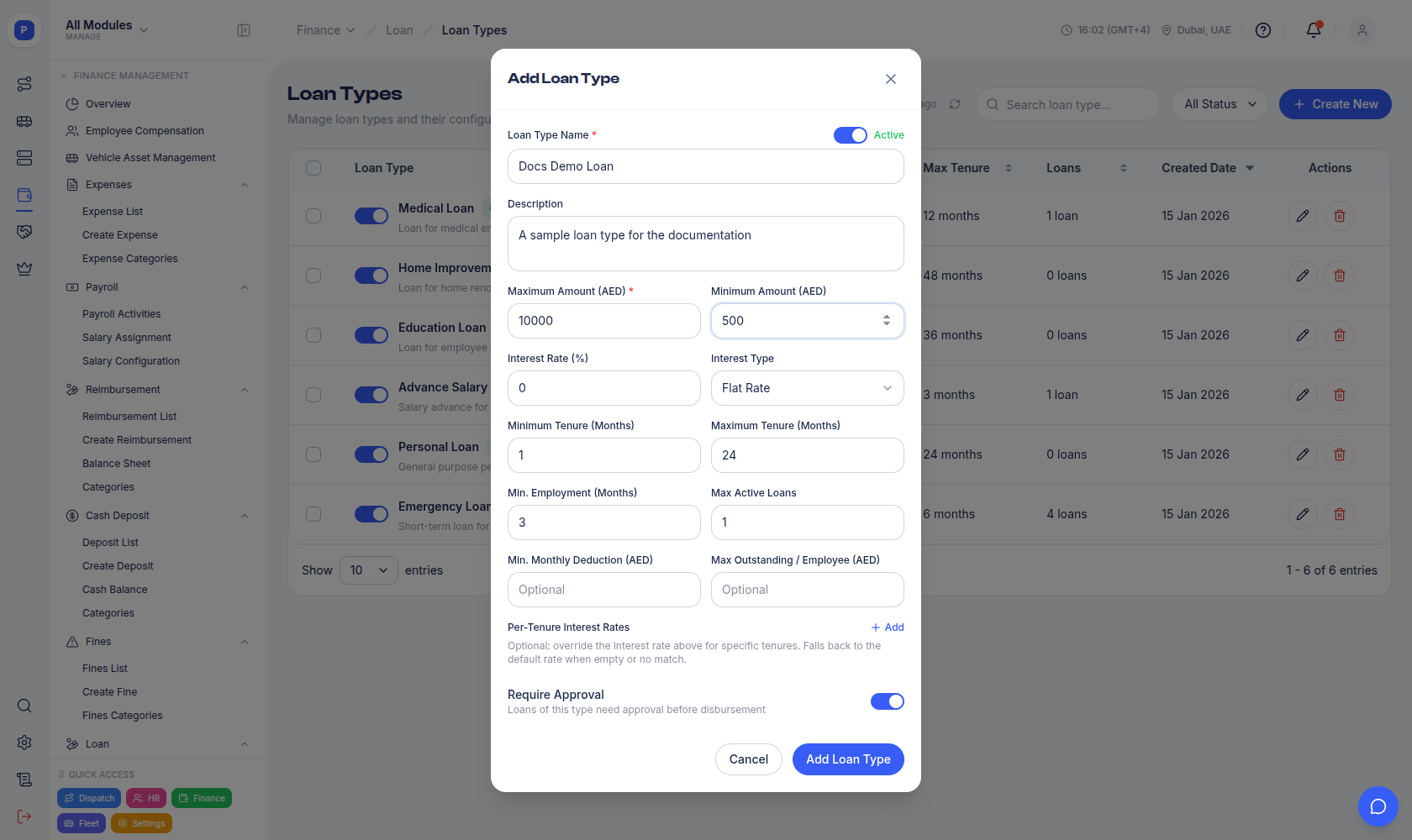
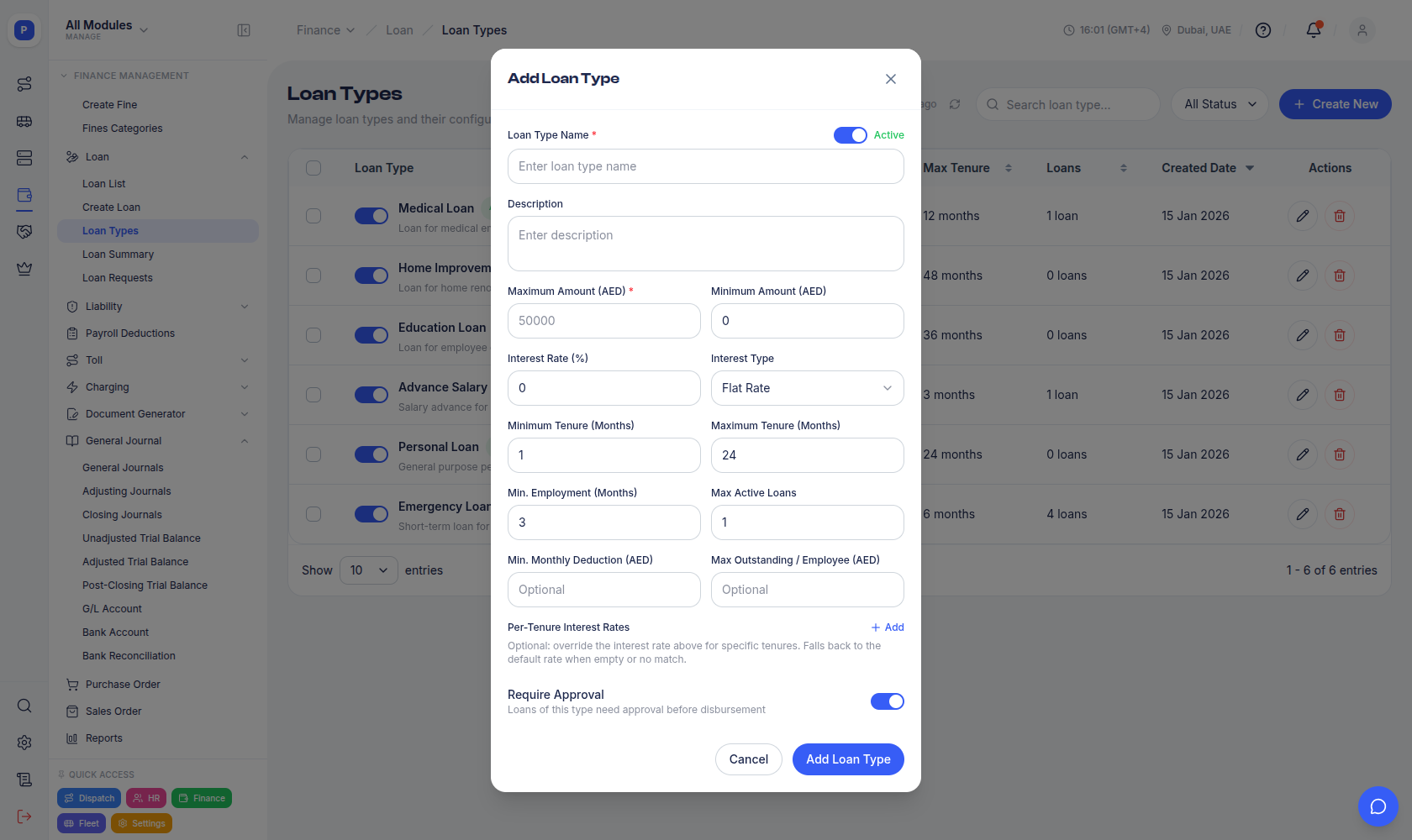
The result is a toast: Loan type created successfully or Loan type updated successfully; a failure shows the server's message.
Edit
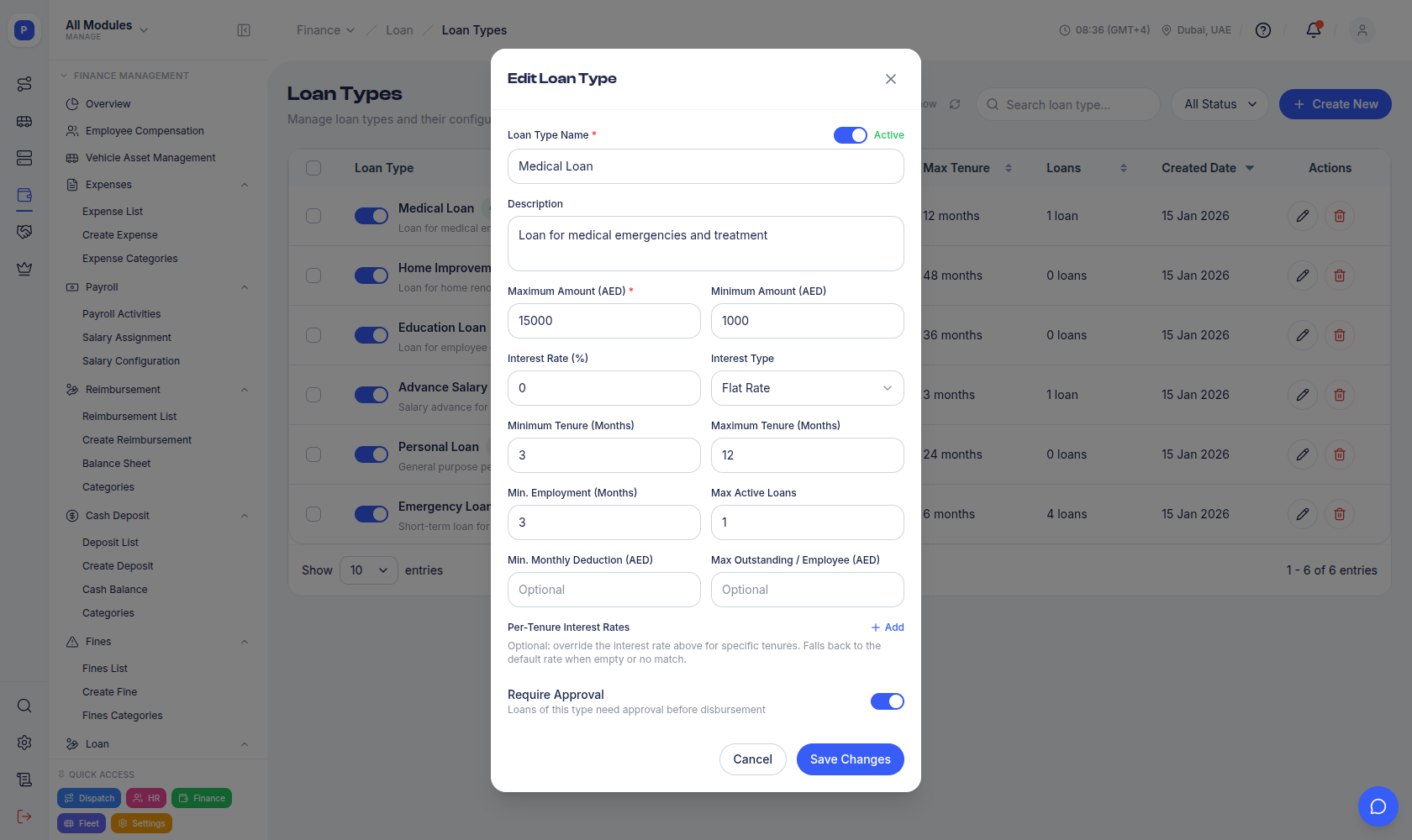
The same window opens with the saved values, and saving answers Loan type updated successfully. Changing a type changes the checks for new loans. Loans that already exist keep the interest rate and the terms they were created with.
Delete
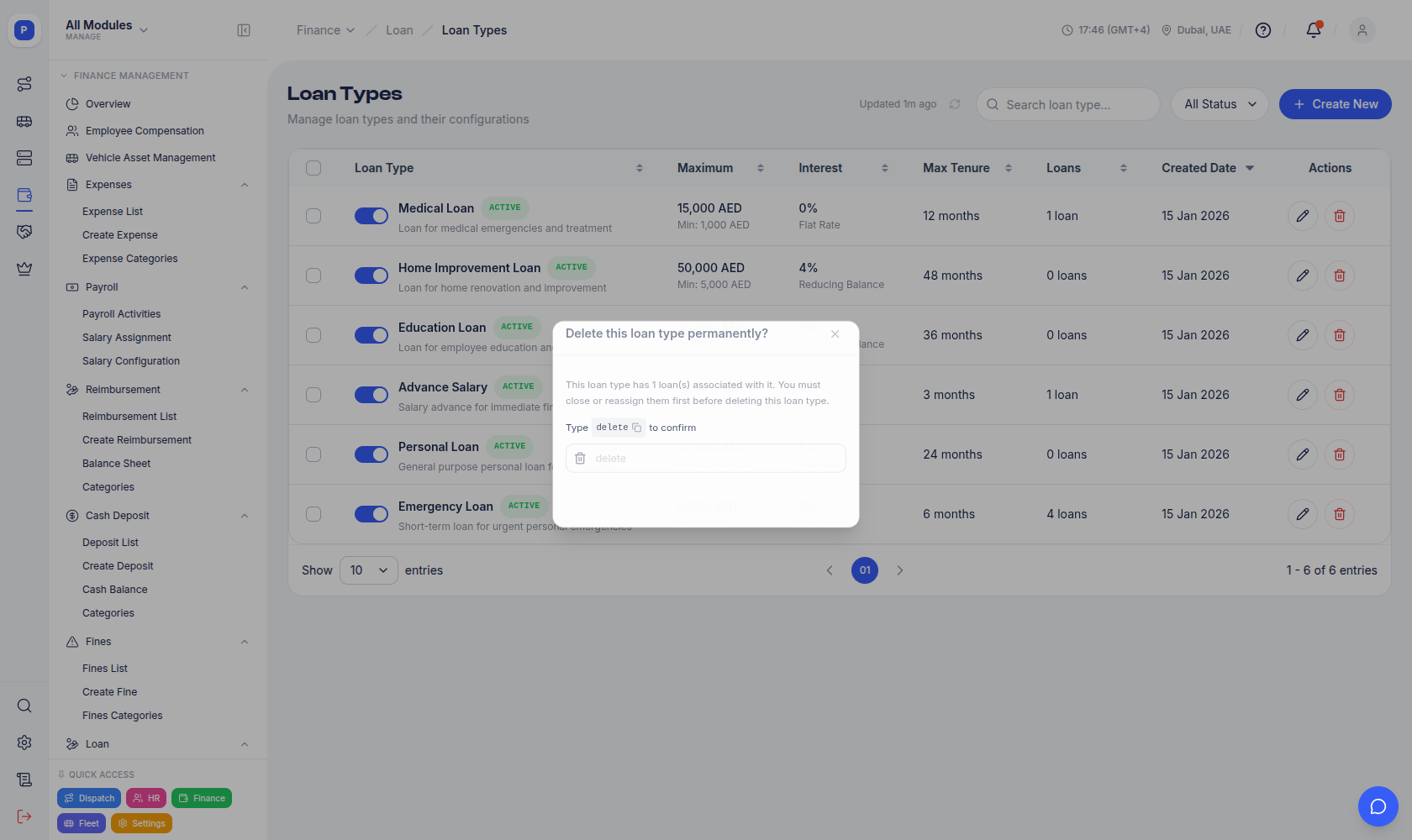
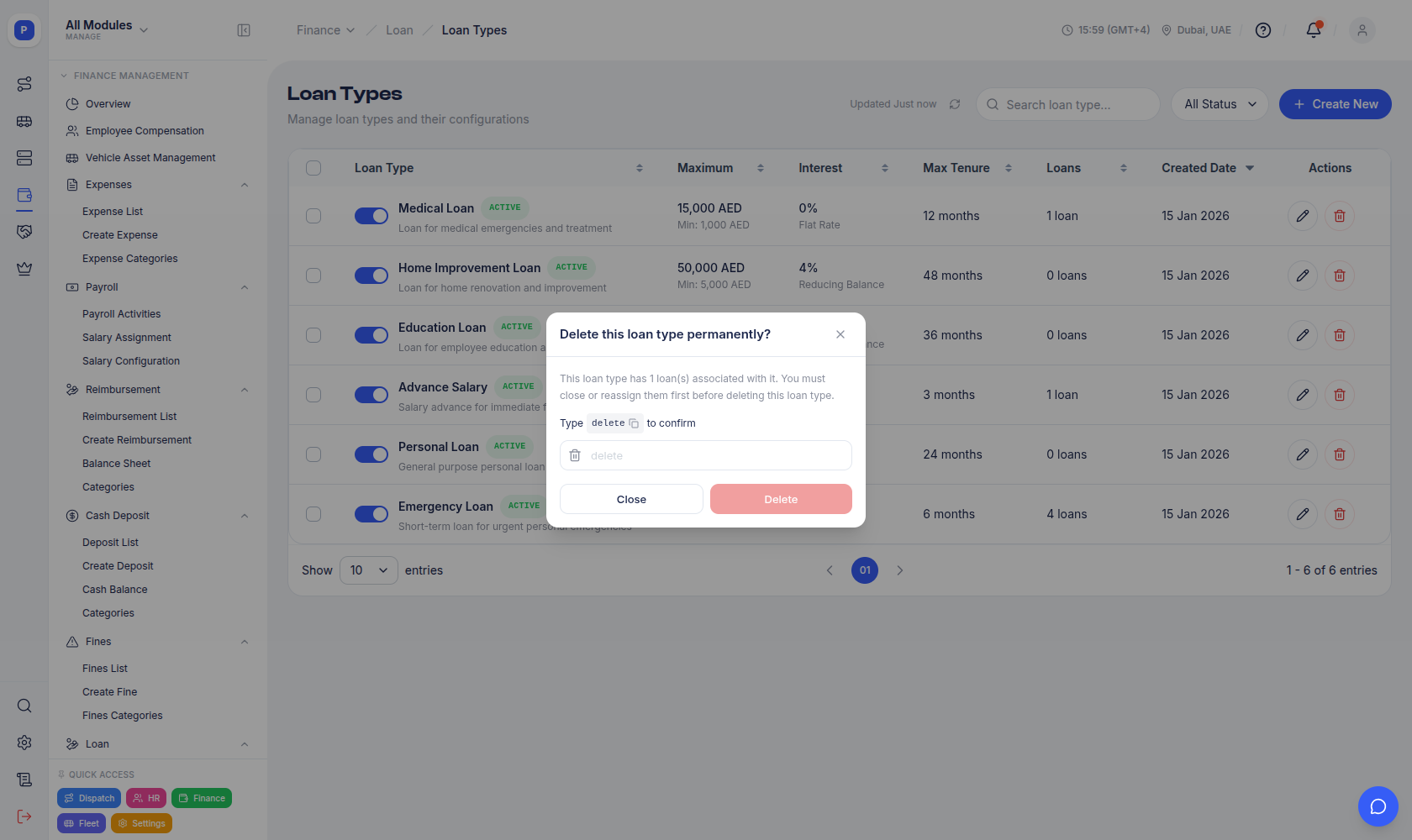
The dialog is titled Delete this loan type permanently?, but the type is only marked as deleted. The server refuses while loans are still using it: Cannot delete loan type with N active loan(s). Please complete or cancel the loans first. (pending, approved and active loans count). The dialog also warns when the type has loans (You must close or reassign them first).
Filtering
Use the status filter to see only the inactive types, and the search box to find a type by name.