Court/MOHRE/Al Adheed Docs
Prepare the claim documents against an employee - a statement of claim for the Dubai Labor Court or MOHRE, or a claim letter for Al Adheed - with the loans, traffic fines and evidence annexes, as one PDF.
Finance > Document Generator > Court/MOHRE/Al Adheed Docs builds the claim the company files against an employee for outstanding loans, traffic fines or other breaches, together with its evidence. The list, the preview and the letter settings work as described in Document Generator.
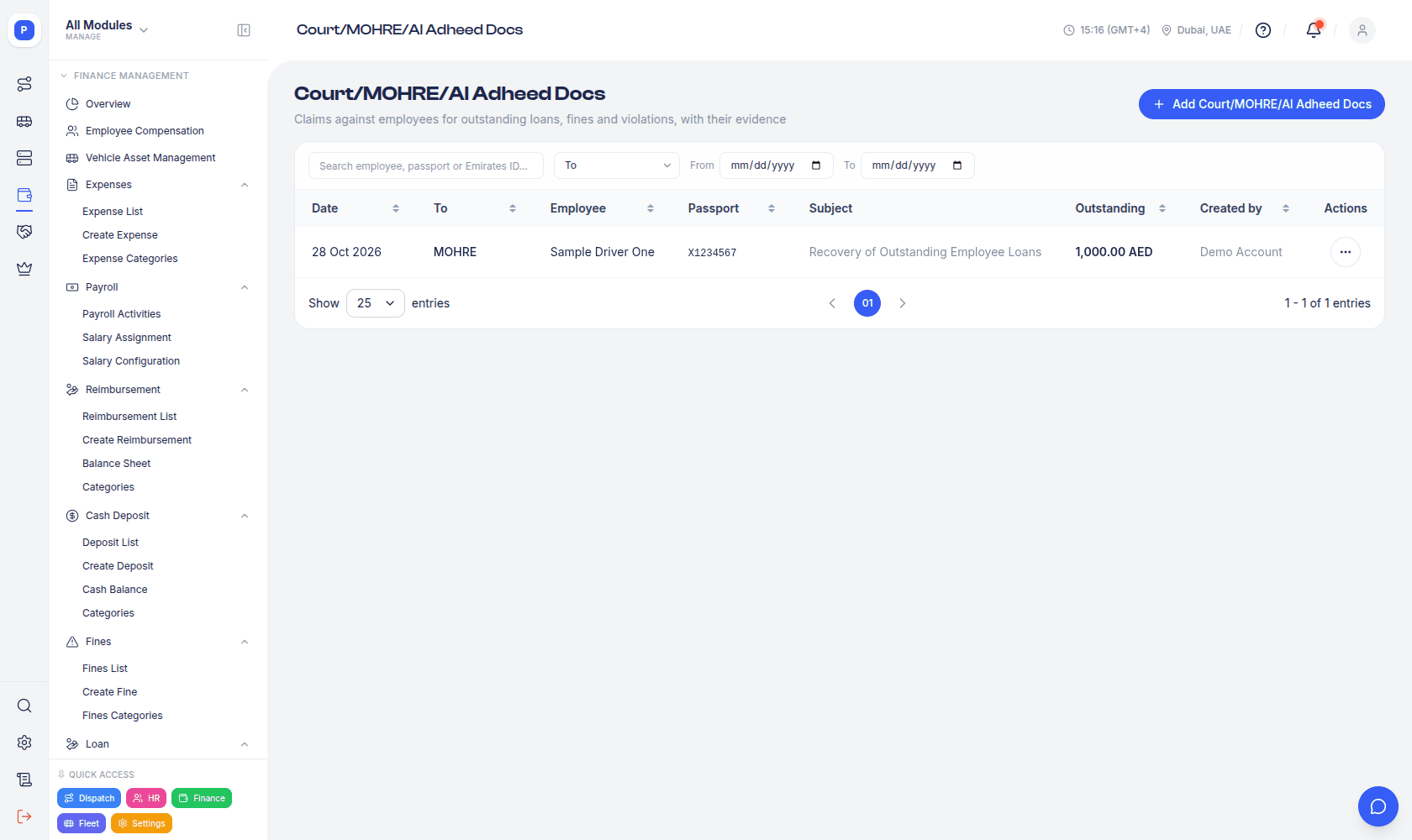
The list
| Column | Shows |
|---|---|
| Date | The date of the document |
| To | Dubai Labor Court, MOHRE or Al Adheed |
| Employee | The respondent's name |
| Passport | The passport number |
| Subject | Recovery of Outstanding Employee Loans, Employee Violations and Breach of Employment Obligations, or the subject you typed |
| Outstanding | The total outstanding debt of the claim (loans and fines, less what was repaid) |
| Created by | Who generated it |
| Actions | The ... menu: Preview, Download, Edit, Delete |
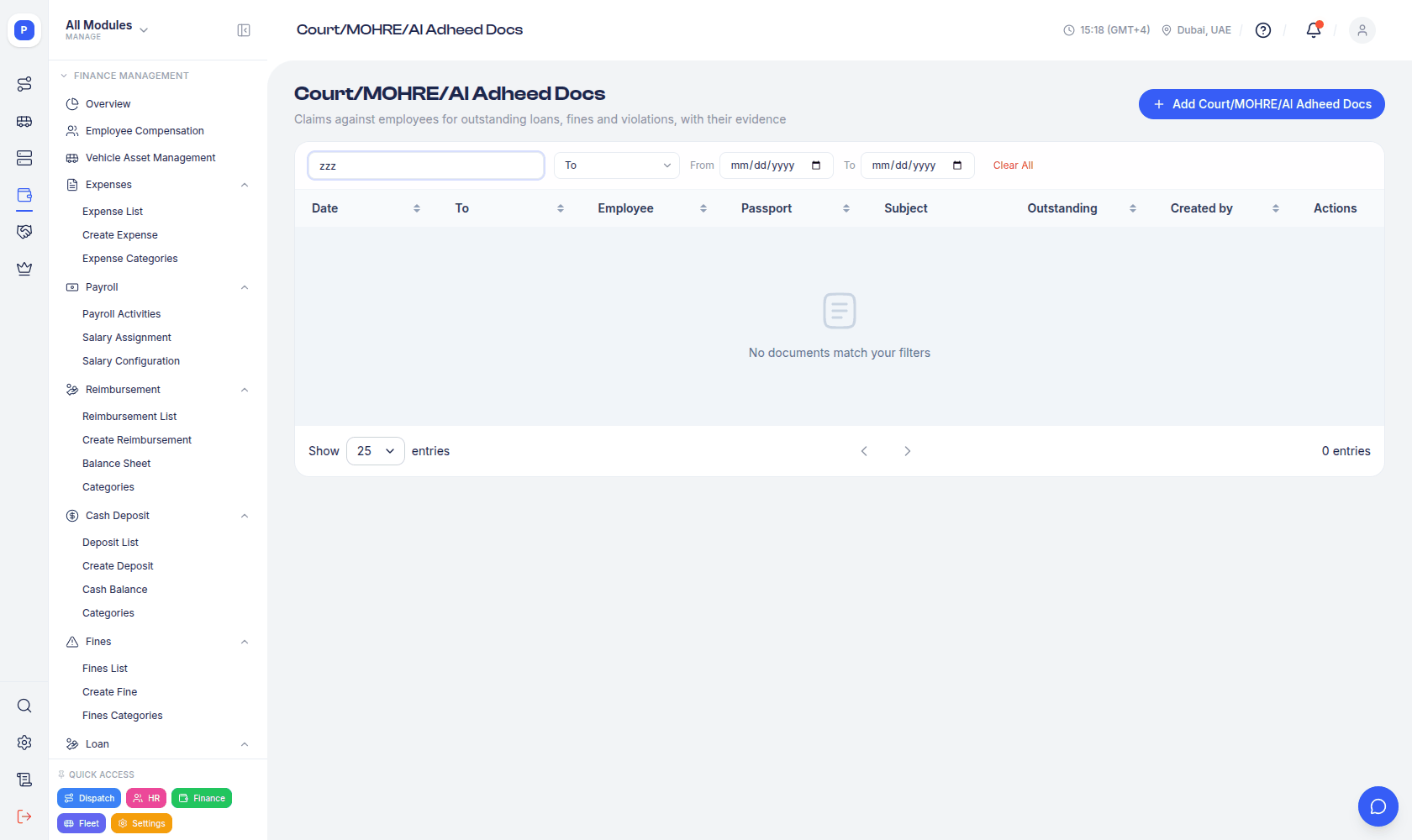
The search box finds a document by employee, passport or Emirates ID, and a list next to it, To, narrows it to one authority; From / To dates limit the document date. With nothing to show the page says No Court/MOHRE/Al Adheed documents yet (or No documents match your filters).
Add a document
Add Court/MOHRE/Al Adheed Docs (top right, add permission) opens the form, built from the cards below.
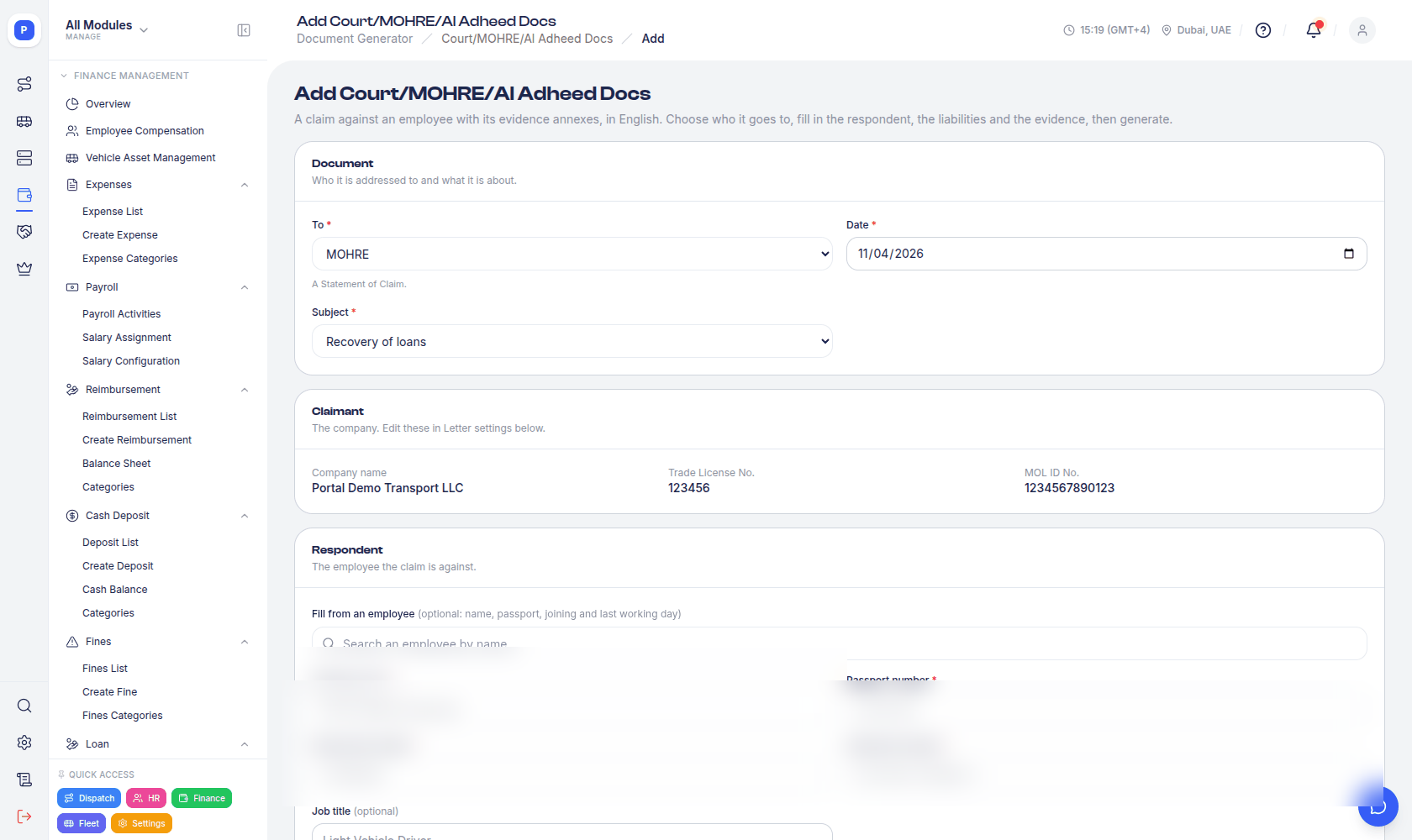
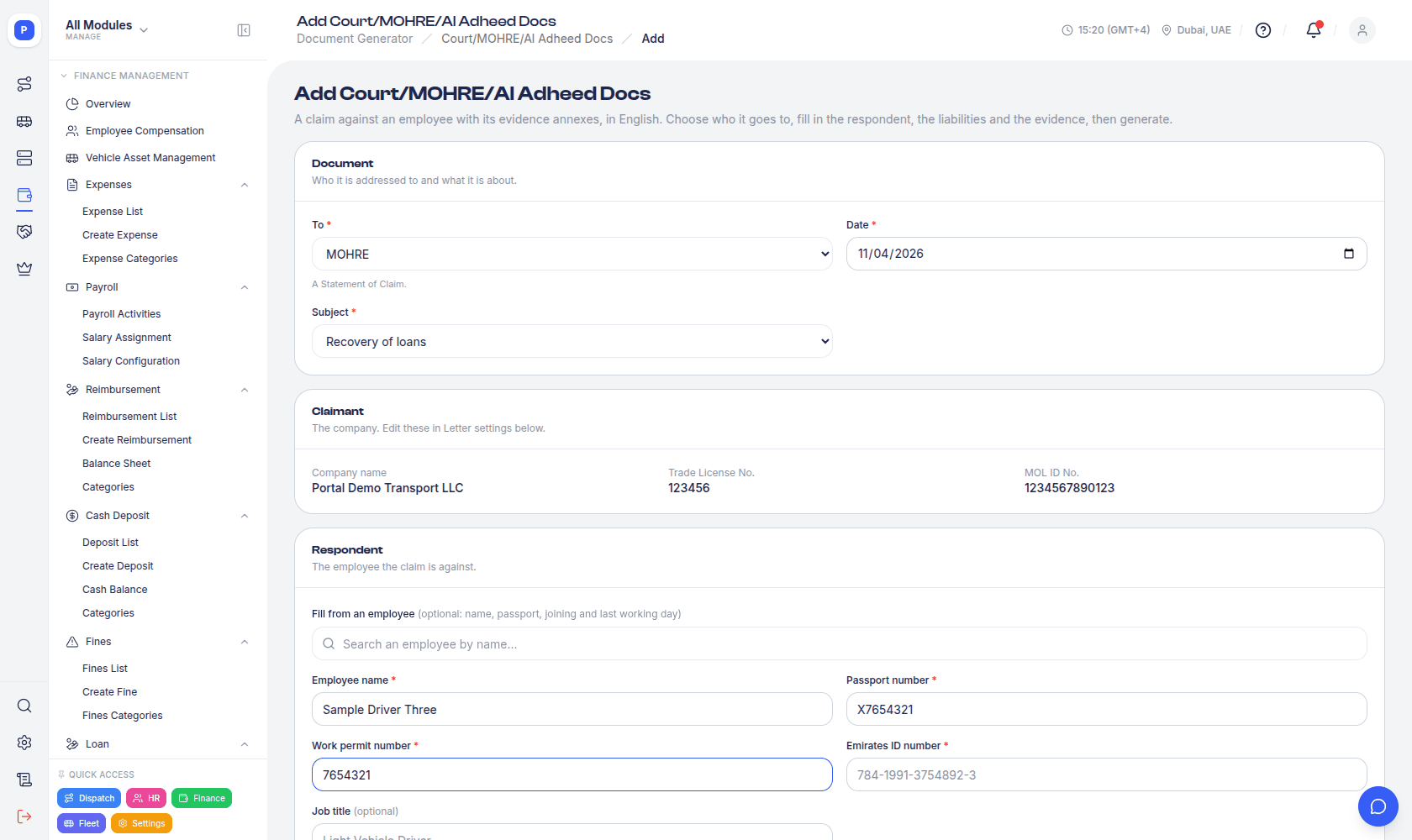
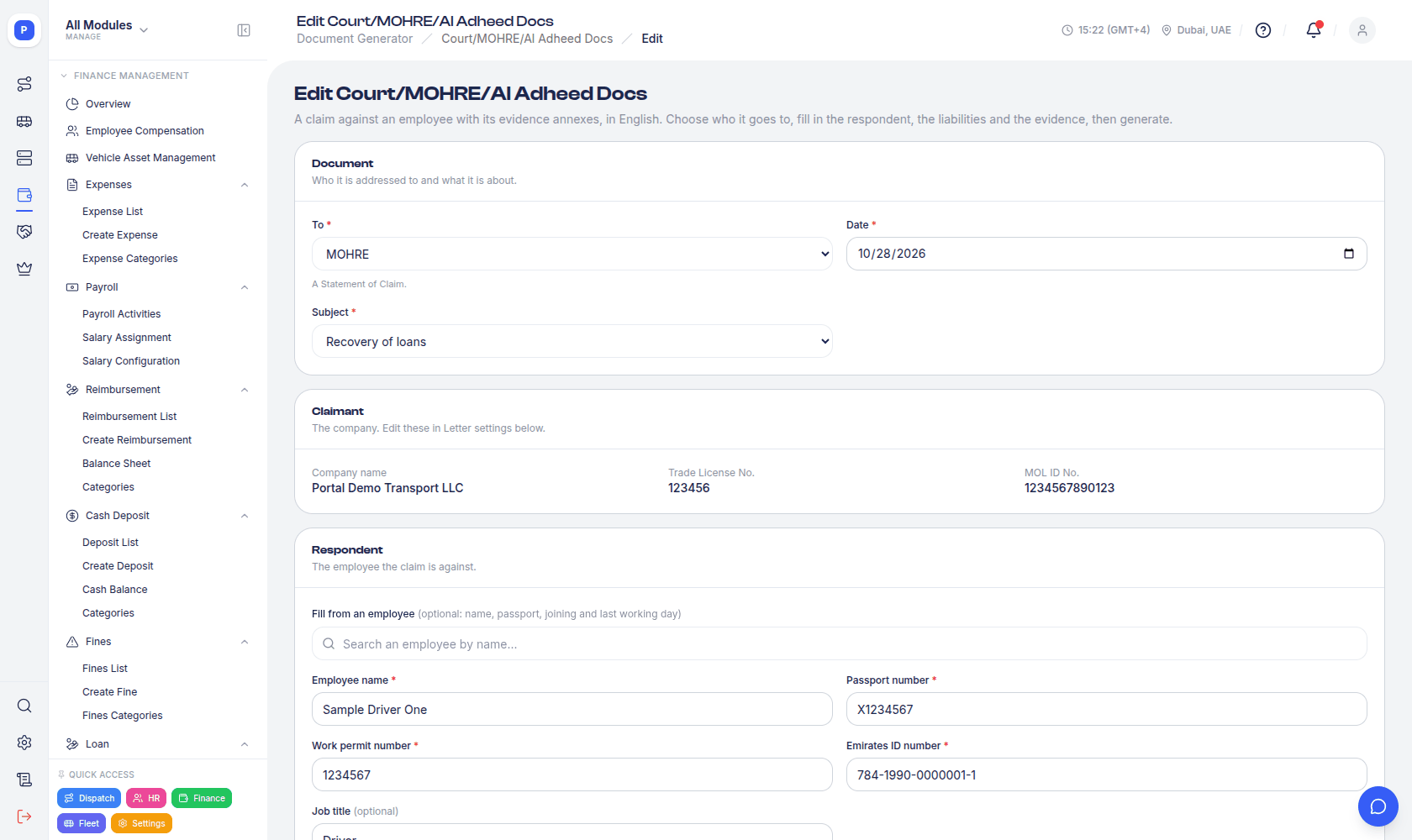
Document - who it goes to and what it is about.
| Field | Rule |
|---|---|
| To | Dubai Labor Court, MOHRE (the default) or Al Adheed. A line under the list says what is produced: for MOHRE and the Labor Court A Statement of Claim, for Al Adheed a claim letter with fixed wording. The document is written in English |
| Date | The date of the document; today by default |
| Subject | Recovery of loans (default), Employee violations or Manually input. For Manually input a second field, Subject (typed), is required |
Claimant - the company: name as on the trade license, Trade License No. and MOL ID No., read from the letter settings below the form.
Respondent - the employee the claim is against.
| Field | Required | Rule |
|---|---|---|
| Fill from an employee | No | Search an employee by name to fill the name, passport, joining date and last working day |
| Employee name | Yes | Letters, spaces and . ' -, 2 to 120 characters |
| Passport number | Yes | Letters and numbers, 5 to 20 characters |
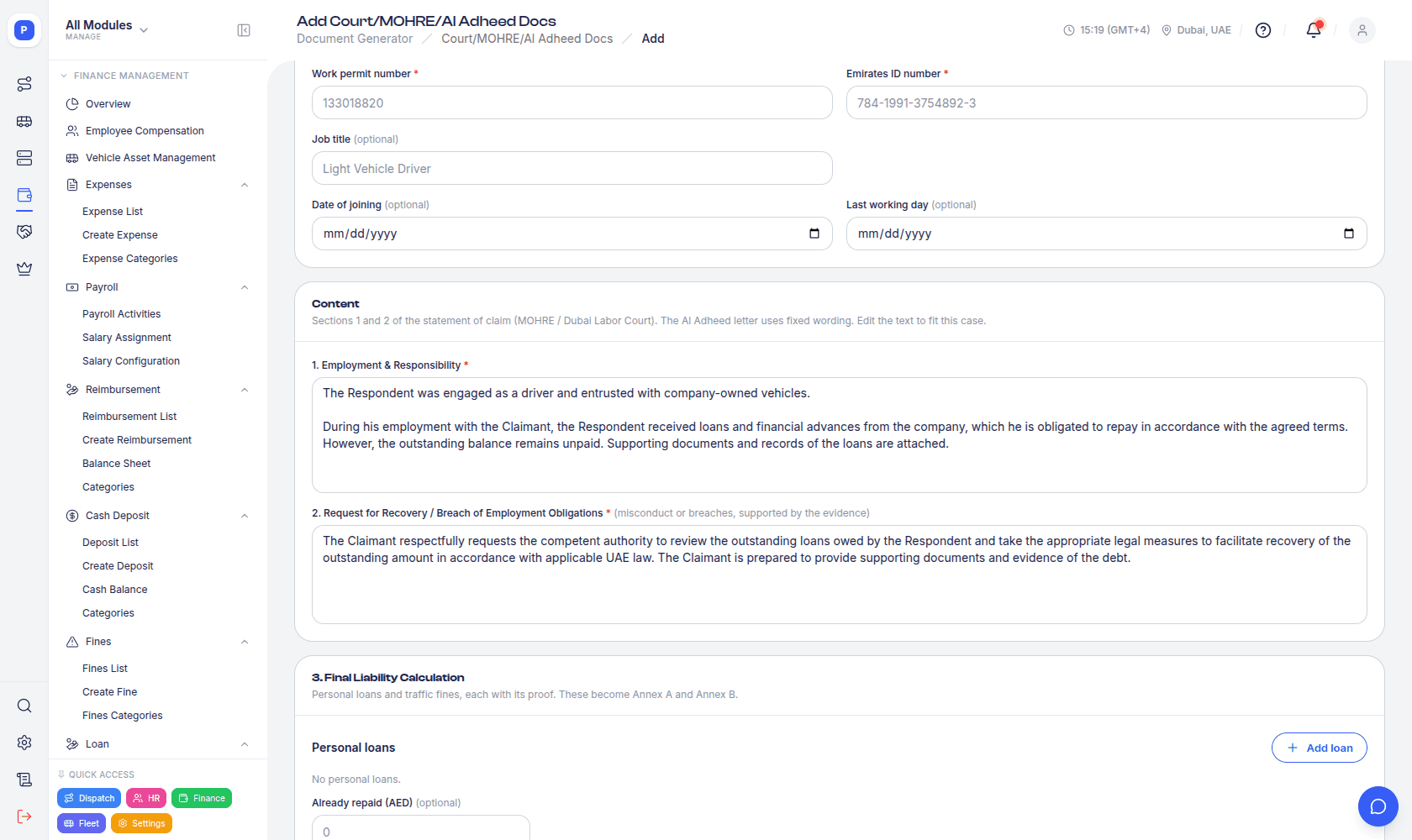
| Work permit number | Yes | Letters, numbers and -, 4 to 20 characters |
| Emirates ID number | Yes | The format 784-YYYY-NNNNNNN-C |
| Job title, Date of joining, Last working day | No | The last working day cannot be before the joining date |
Content - the sections 1. Employment & Responsibility and 2. Request for Recovery / Breach of Employment Obligations of the statement of claim. Both come with a standard text for a driver and can be edited freely; both are required. (The Al Adheed letter uses its own fixed wording.)
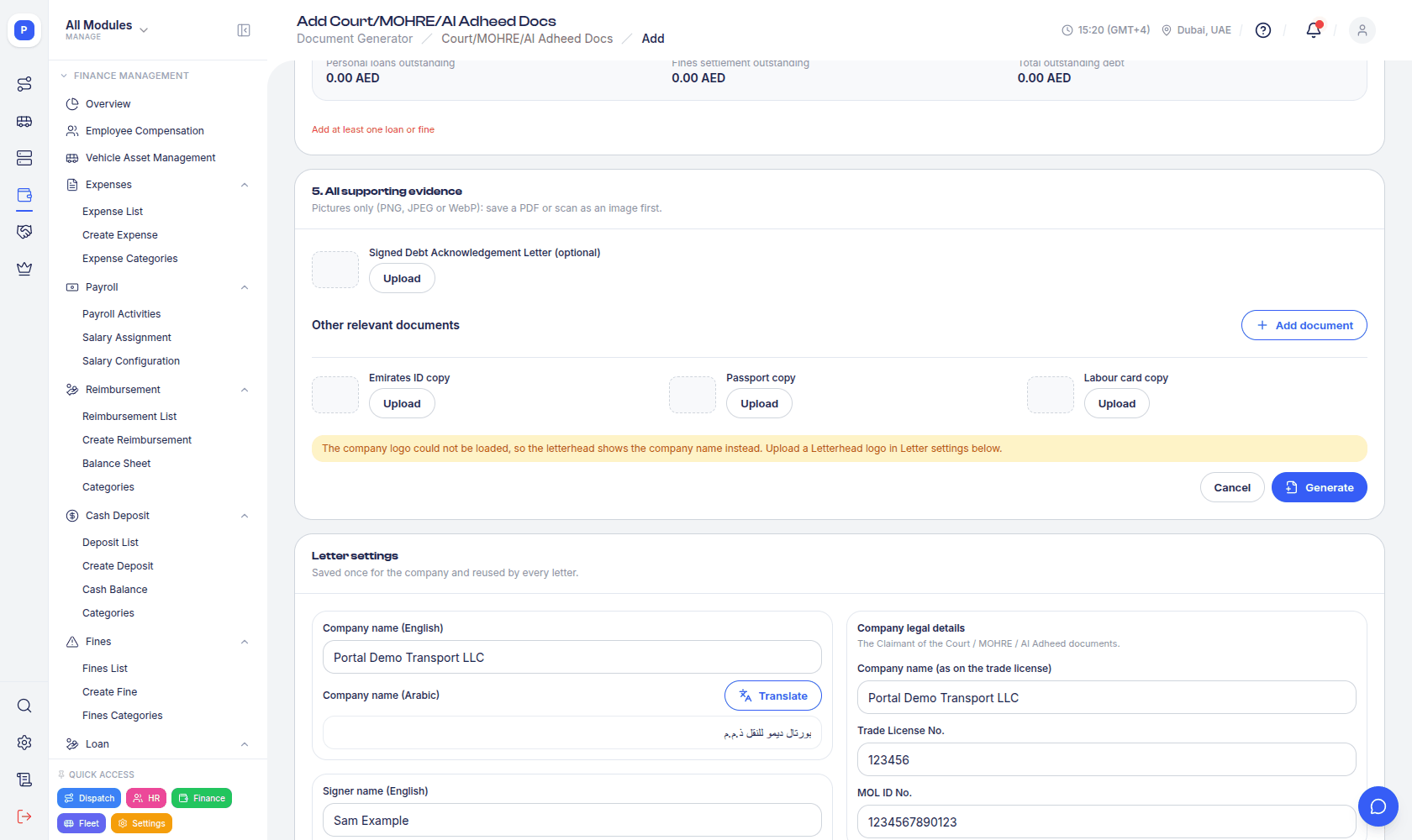
3. Final Liability Calculation - the personal loans and the traffic fines, which become Annex A and Annex B:
- Add loan: Date, Amount (AED), Description (required) and a Receipt / transfer proof image. Already repaid (AED) is optional.
- Add fine: Fine date, Amount (AED), Vehicle plate (optional), a Fine picture and a Vehicle usage proof image. Already repaid (AED) is optional.
- A summary under the lists shows Personal loans outstanding, Fines settlement outstanding and Total outstanding debt, calculated as you type.
- At least one loan or fine is required (Add at least one loan or fine). Amounts have up to 2 decimals and must be above zero.
5. All supporting evidence - Pictures only (PNG, JPEG or WebP): the optional Signed Debt Acknowledgement Letter, any number of other documents (each with a title and an image), and the Emirates ID copy, Passport copy and Labour card copy. Each image is uploaded as soon as you choose it (Uploading...), with Replace and Remove; the limit is 8 MB per image. A PDF or a scan must be saved as an image first.
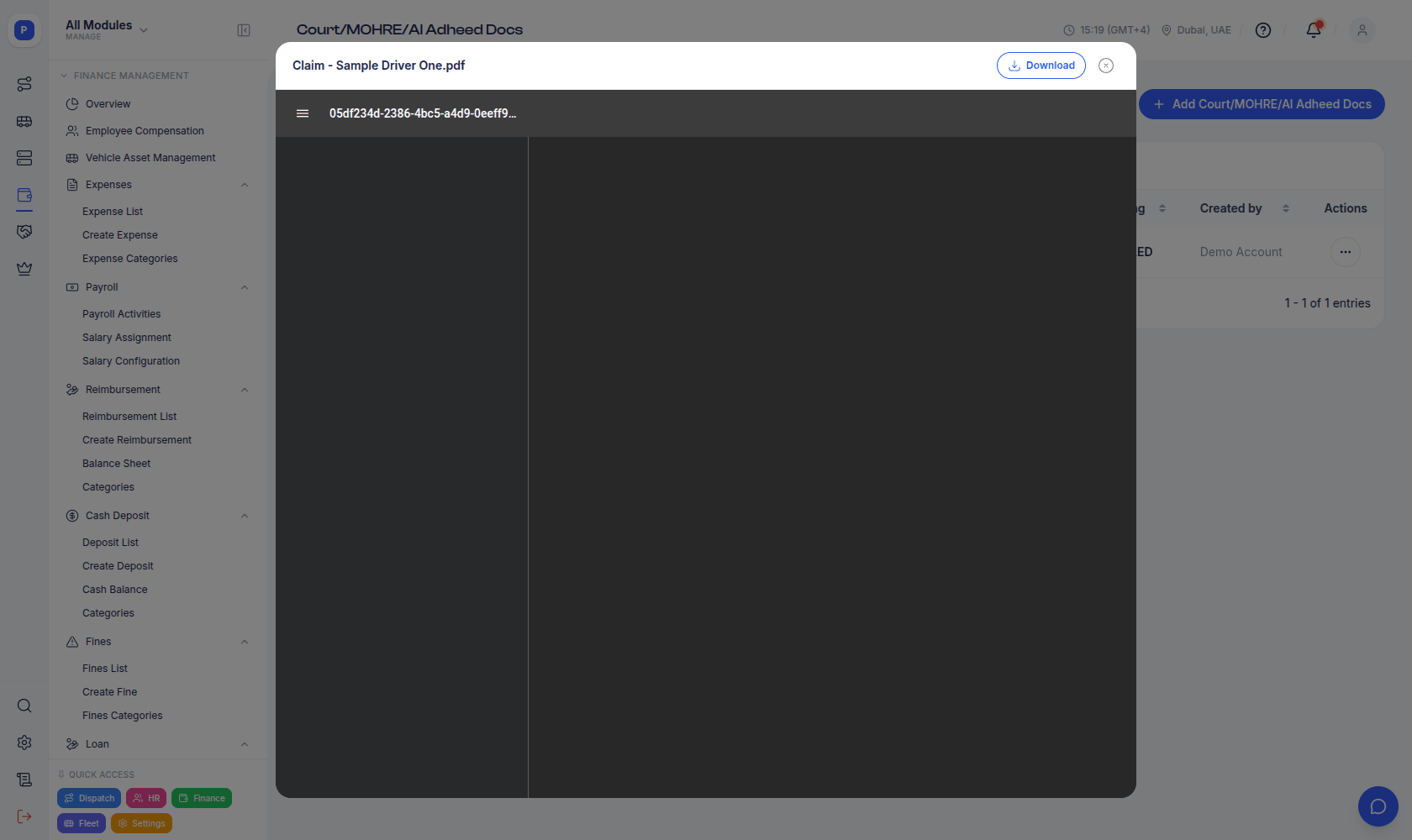
Click Generate. A wrong or missing field is flagged and nothing is saved; the button is disabled while the signer's English name is missing in the letter settings (Set the signer name (English) in Letter settings before generating). A valid form saves the document and opens the PDF in the preview window (named Claim - <employee name>.pdf); the annexes put the evidence images in the file, one per page. The server also checks that the dates are real, that a typed subject is not empty and that the attached images still exist, and answers with the reason if it refuses.
Letter settings
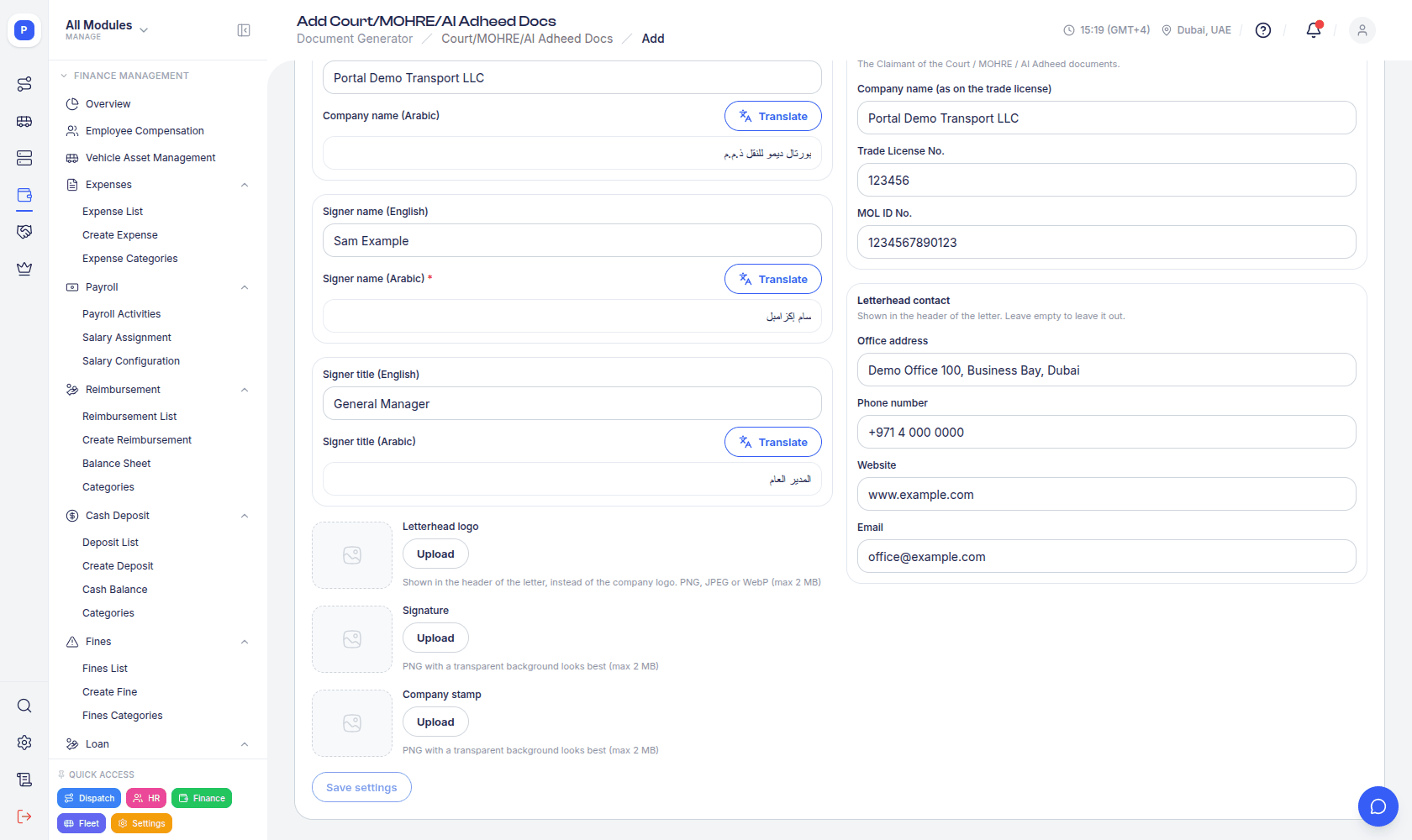
Under the form is the shared Letter settings panel (company names, signer, legal details, letterhead contact and the logo / signature / stamp). It is saved once for the company and reused by every letter; the fields and the Translate buttons are described in Document Generator. The claimant fields of the Court / MOHRE / Al Adheed document come from this panel, and Generate stays disabled until the signer's English name is filled in there.
Preview, download, edit and delete
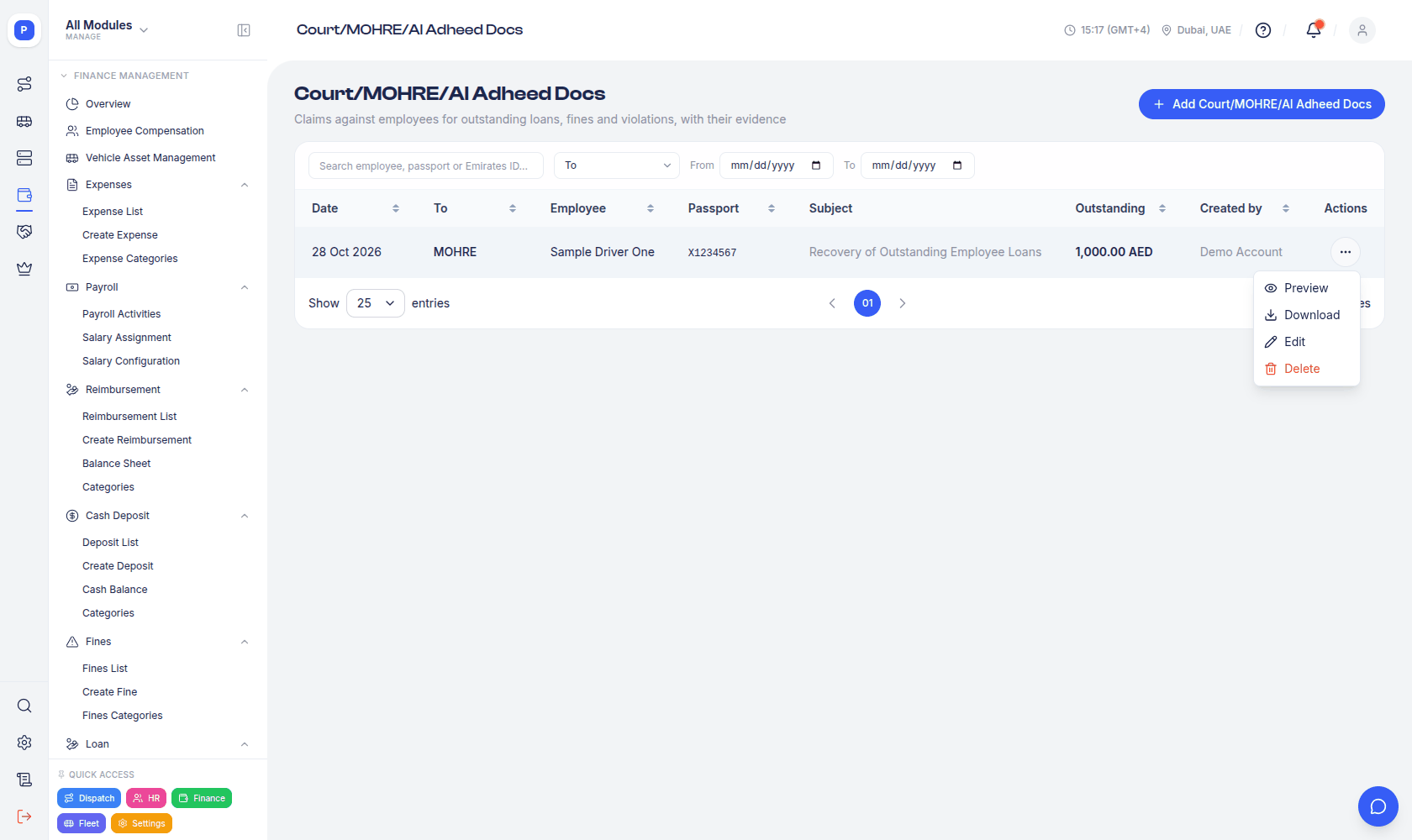
- Preview and Download open or save the saved document as PDF.
- Edit (edit permission) opens the form with the saved values and the attached images; Save & Generate updates the record and builds the PDF again.
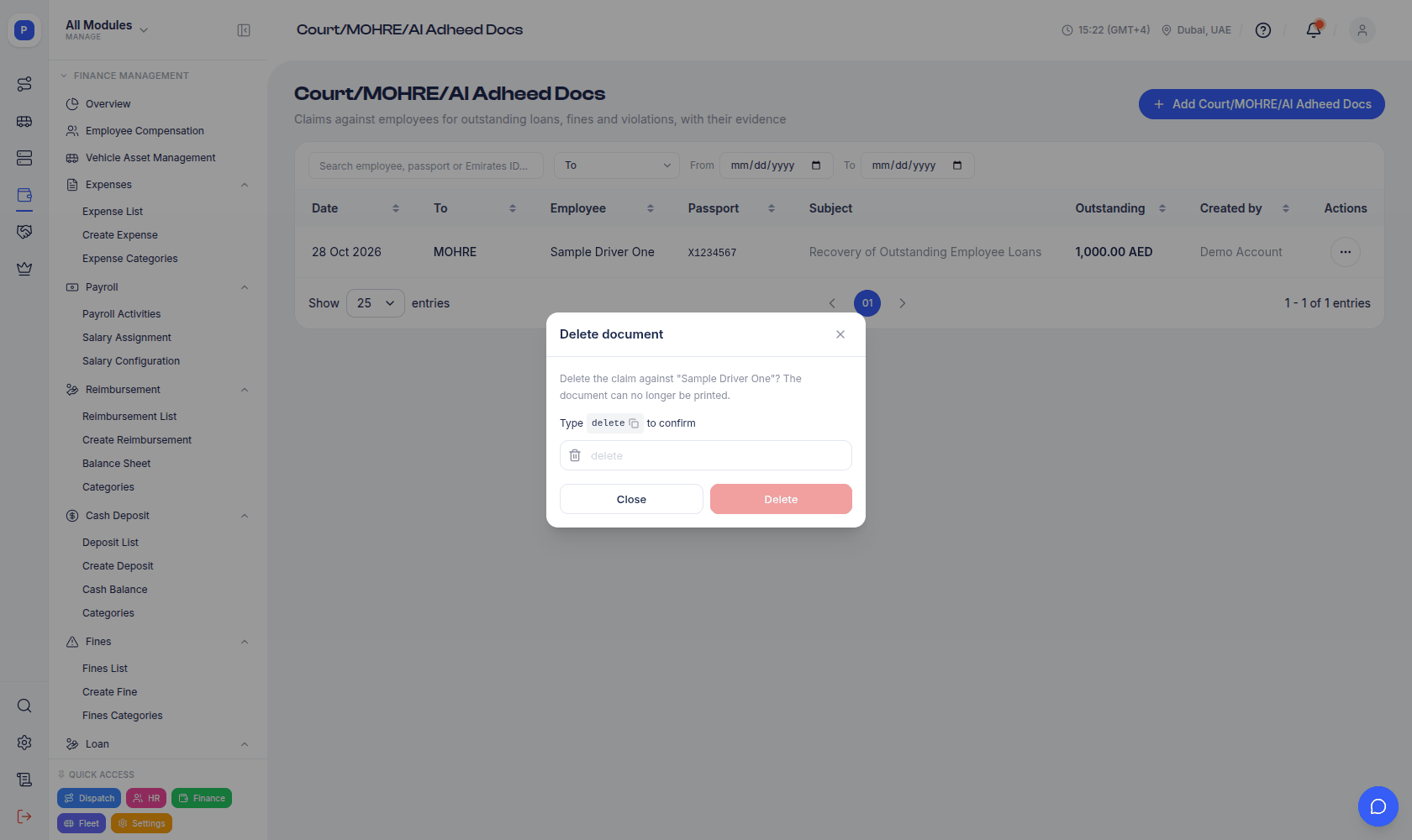
- Delete (delete permission) opens Delete document. Confirm and the row disappears (Document deleted); the record is only marked as deleted.
Vehicle Ownership Transfer
Generate the Arabic no-objection certificate (NOC) for transferring a vehicle to a buyer at the RTA, and keep every certificate in a list.
Debt Acknowledgement Letter
Generate a letter that states what an employee owes the company, item by item, for the employee to sign and acknowledge.