Debt Acknowledgement Letter
Generate a letter that states what an employee owes the company, item by item, for the employee to sign and acknowledge.
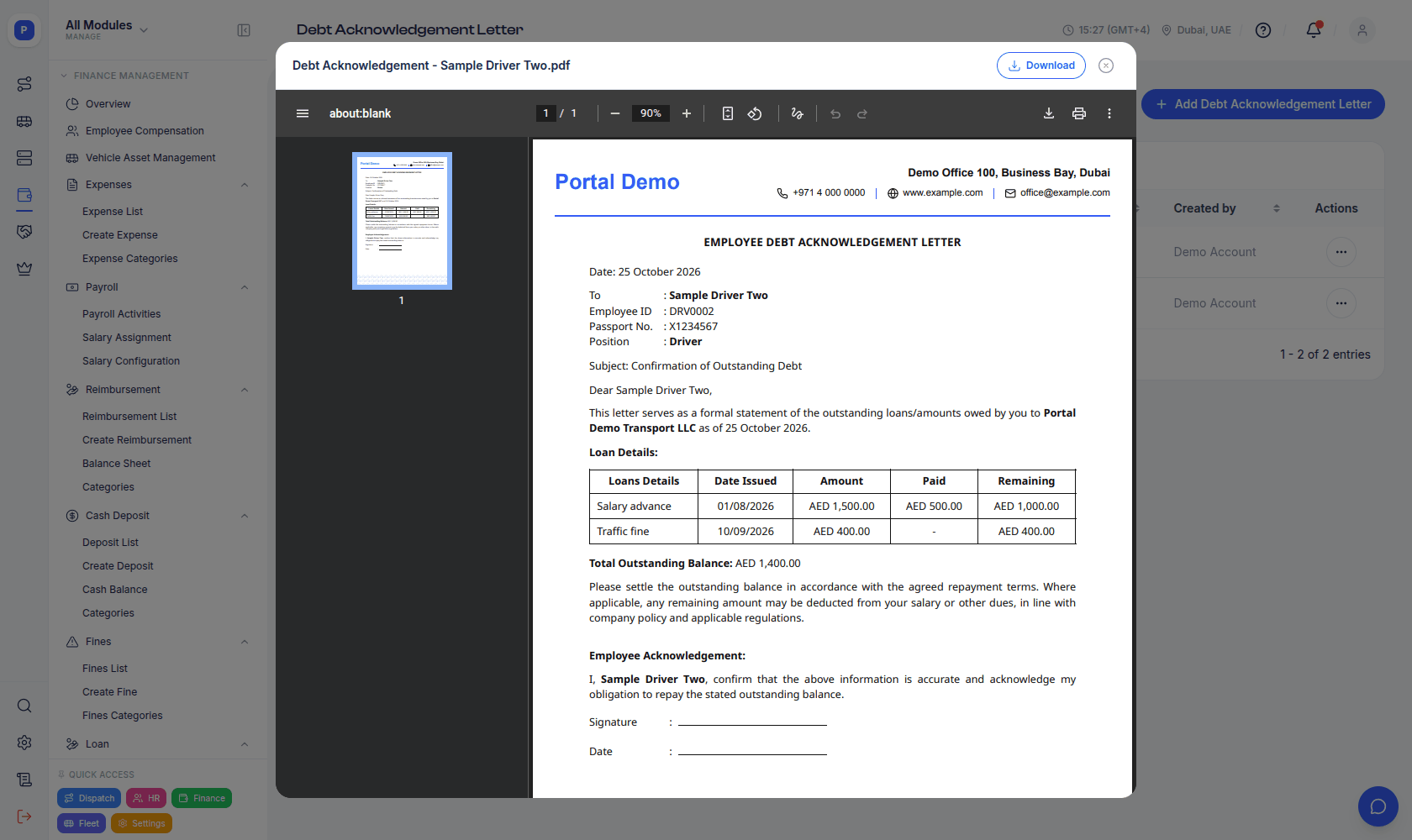
Finance > Document Generator > Debt Acknowledgement Letter issues a letter with the subject Confirmation of Outstanding Debt: the employee, a table of loans or fines with the amount, what was paid and what remains, and the total outstanding balance as of a date. The list, the preview and the letter settings work as described in Document Generator. The signed letter can later be attached to a Court/MOHRE/Al Adheed document as evidence.
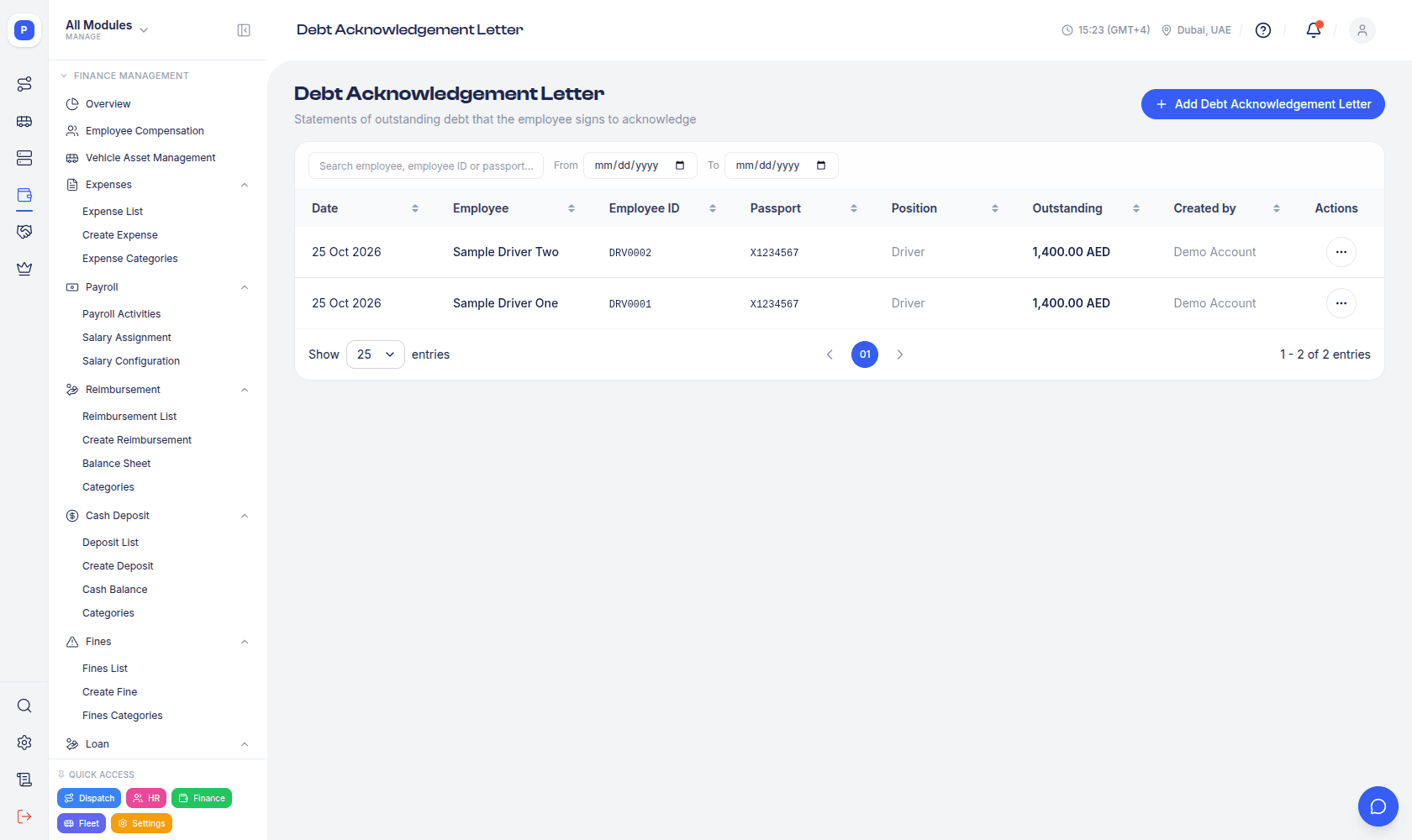
The list
| Column | Shows |
|---|---|
| Date | The date of the letter |
| Employee, Employee ID, Passport, Position | As typed on the form (- when empty) |
| Outstanding | The total outstanding balance |
| Created by | Who generated it |
| Actions | The ... menu: Preview, Download, Edit, Delete |
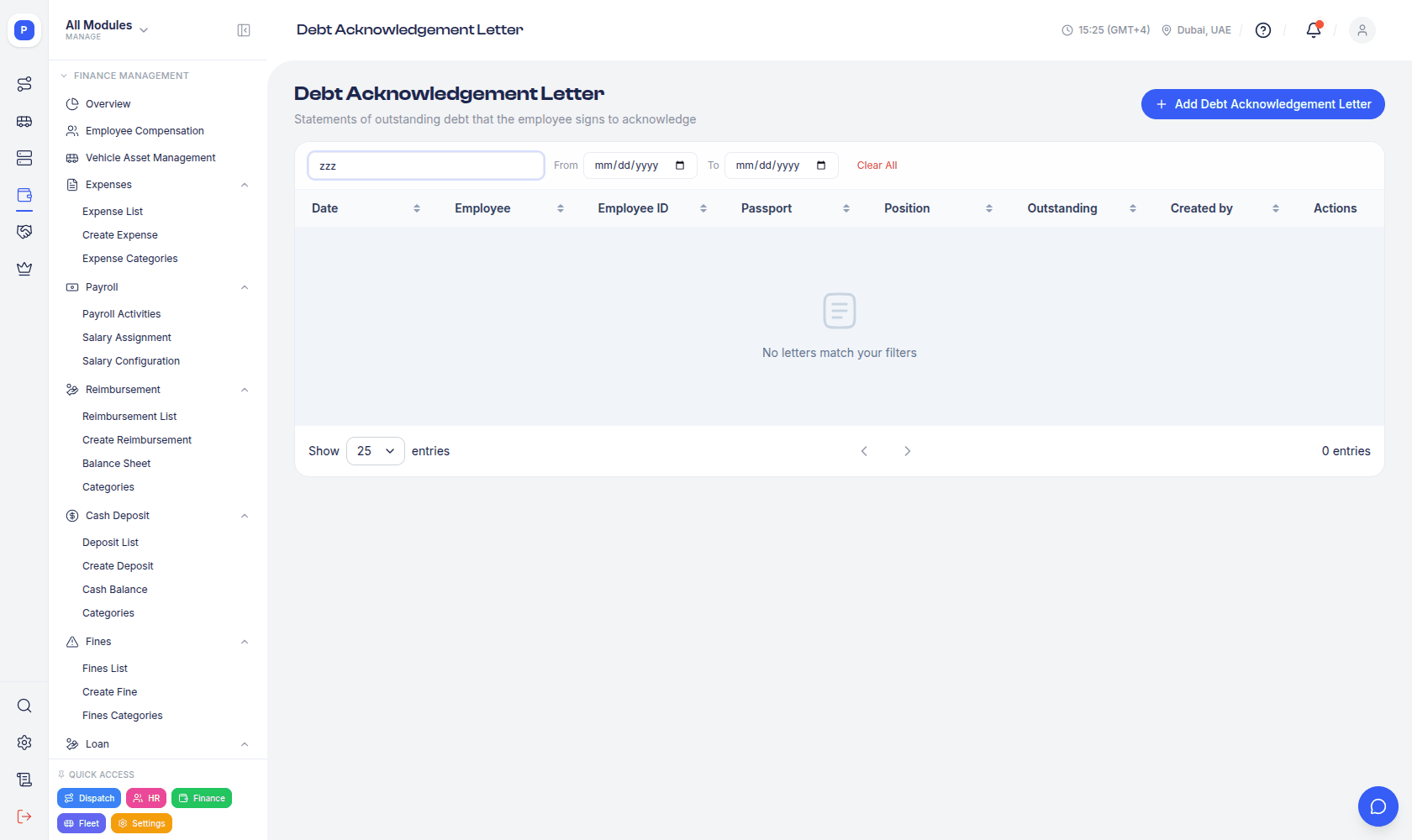
The search box finds a letter by employee, employee ID or passport, and From / To limit the letter date. With nothing to show the page says No debt acknowledgement letters yet (or No letters match your filters).
Add a letter
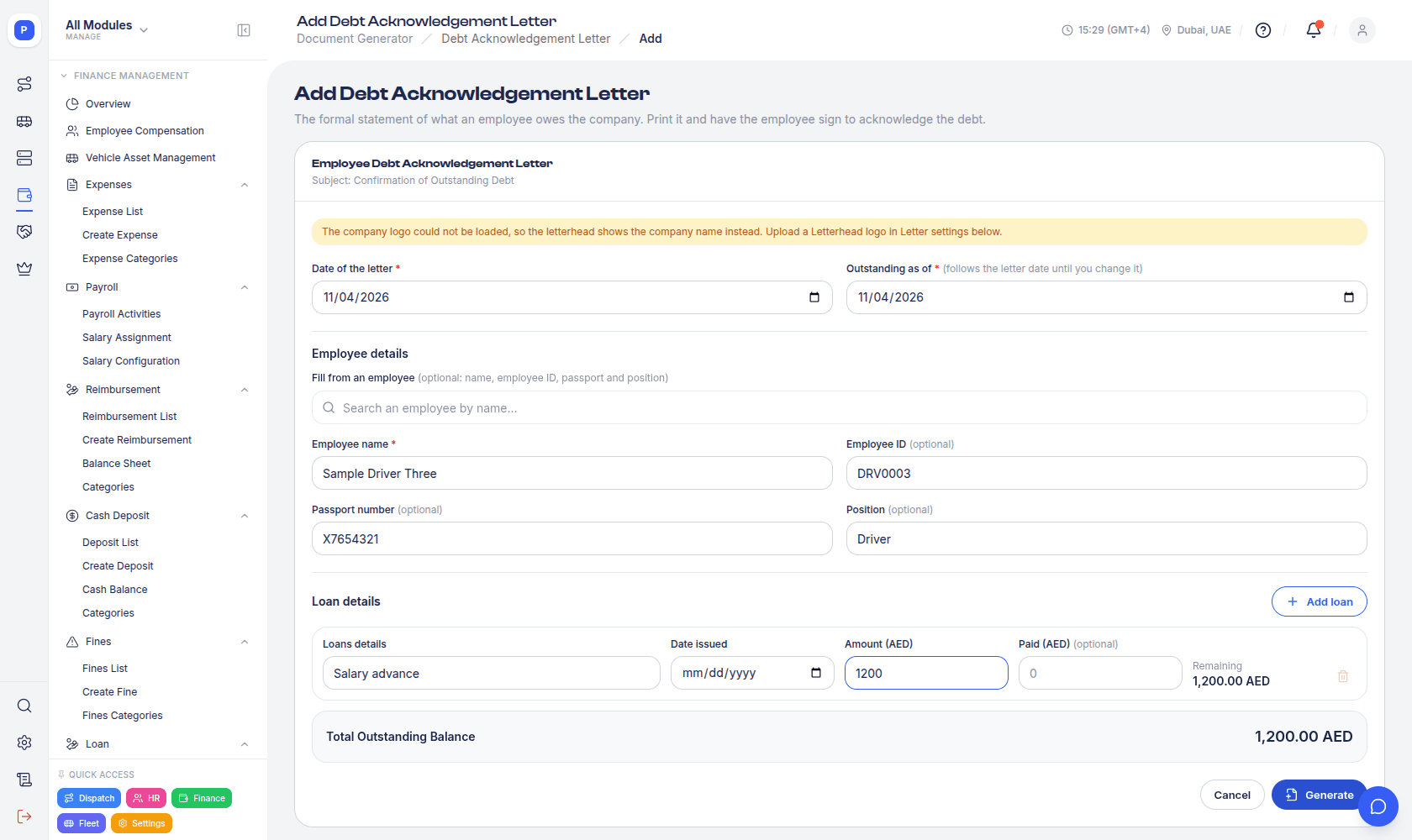
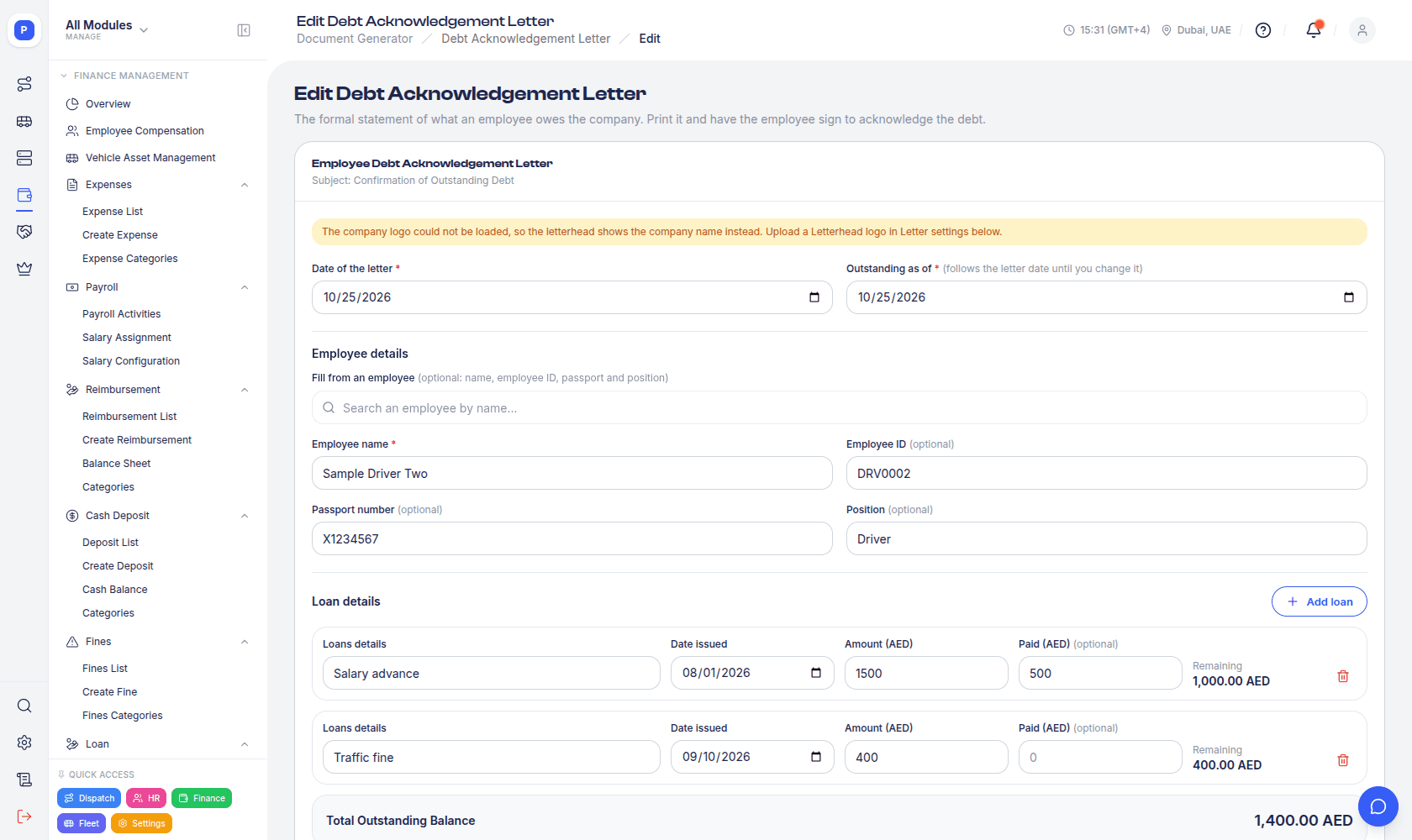
Add Debt Acknowledgement Letter (top right, add permission) opens the form Employee Debt Acknowledgement Letter.
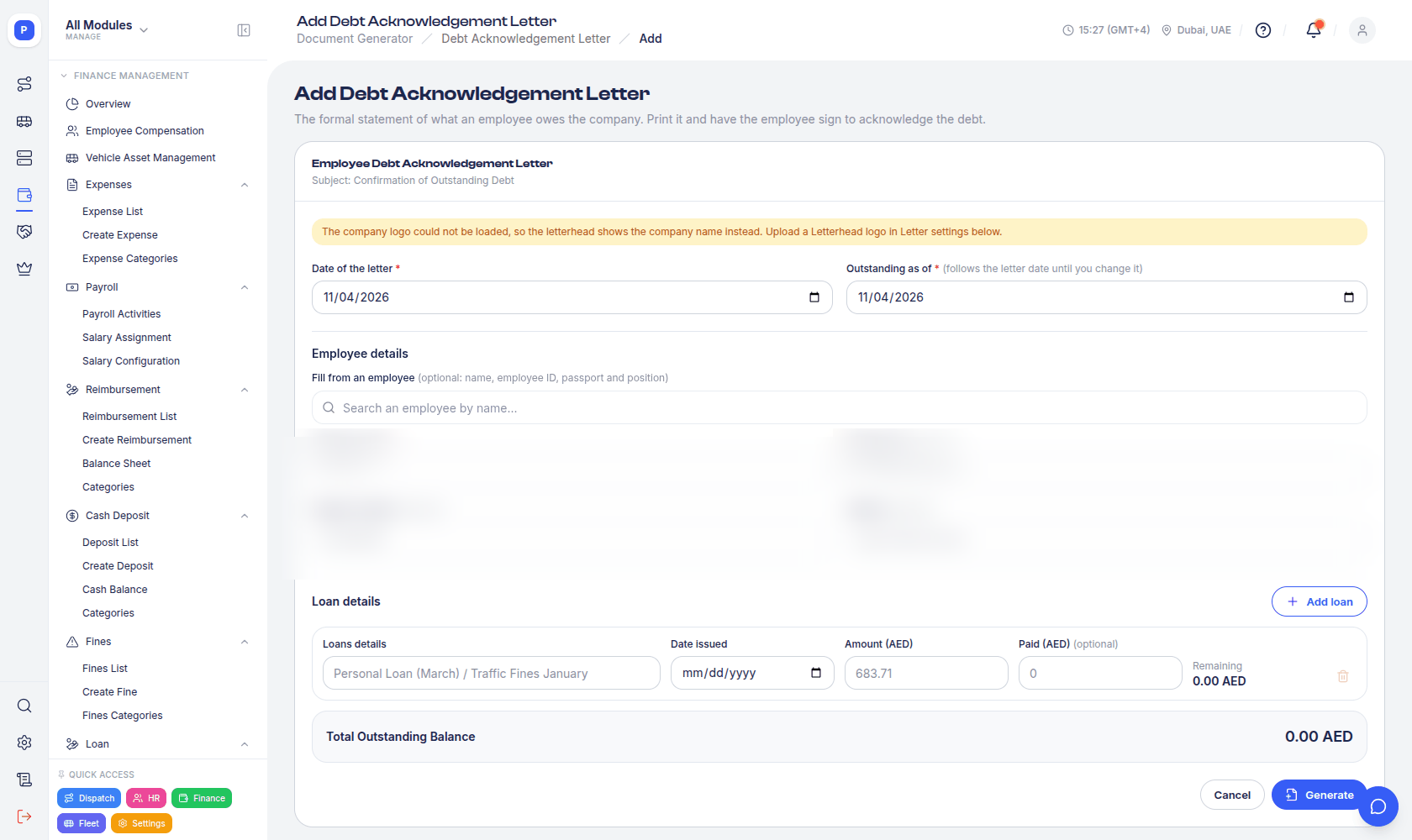
| Field | Required | Rule |
|---|---|---|
| Date of the letter | Yes | A date; today by default |
| Outstanding as of | Yes | The date the balances are stated for. It follows the letter date until you pick another one |
| Fill from an employee | No | Search an employee by name to fill the name, employee ID, passport and position |
| Employee name | Yes | The employee's name |
| Employee ID | No | Letters, numbers and - / . _ space, up to 40 characters |
| Passport number | No | Letters and numbers, up to 20 characters (shown in capitals) |
| Position | No | For example Light Vehicle Driver |
Loans. The letter lists one or more items; Add loan adds a row and the bin button removes one (the last row cannot be removed). Each row has:
| Field | Rule |
|---|---|
| Loans details | What the item is, for example Personal Loan (March) or Traffic Fines January |
| Date issued | A date |
| Amount (AED) | A number with up to 2 decimals |
| Paid (AED) | Optional, up to 2 decimals; it cannot be more than the amount |
Each row also shows Remaining (amount less paid), and Total Outstanding Balance under the rows adds them up.
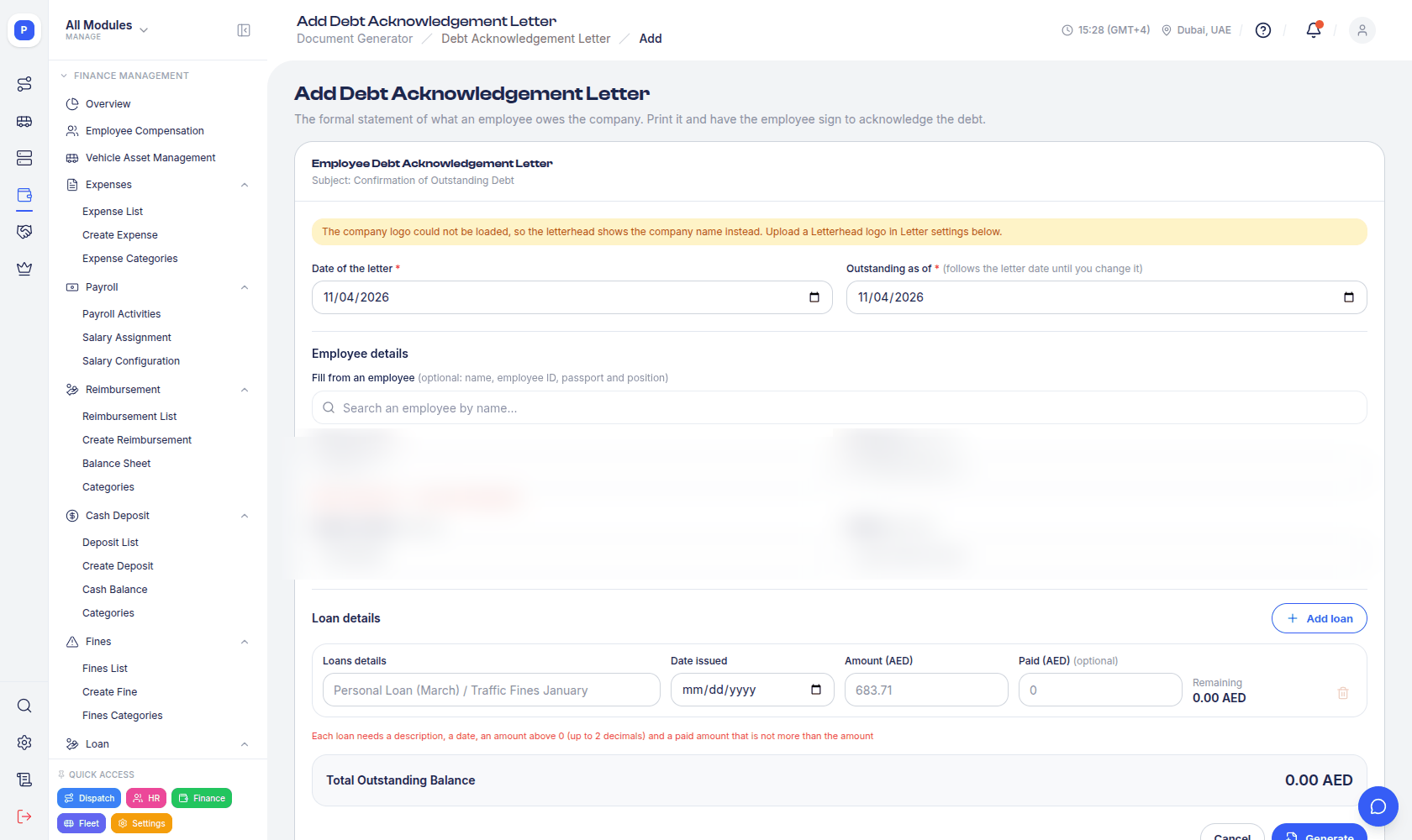
Click Generate. A wrong field is flagged and nothing is saved. A valid form saves the letter and opens the PDF in the preview window; Download keeps the file and closing the window returns to the list. A failure shows The letter could not be generated with the reason.
Letter settings
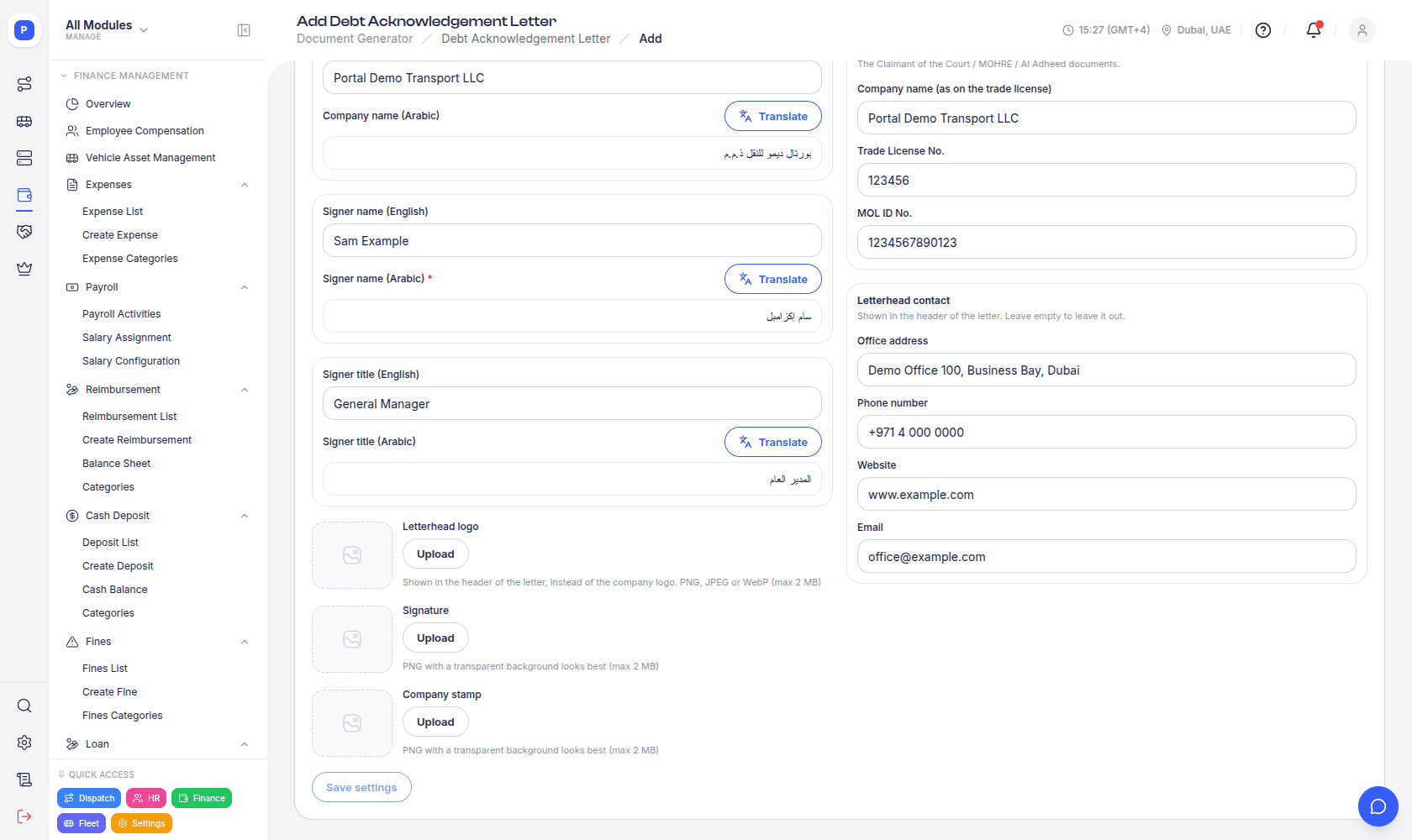
Under the form is the shared Letter settings panel (company names, signer, legal details, letterhead contact and the logo / signature / stamp). It is saved once for the company and reused by every letter; the fields and the Translate buttons are described in Document Generator. Generate stays disabled until the signer's Arabic name is filled in there.
Preview, download, edit and delete
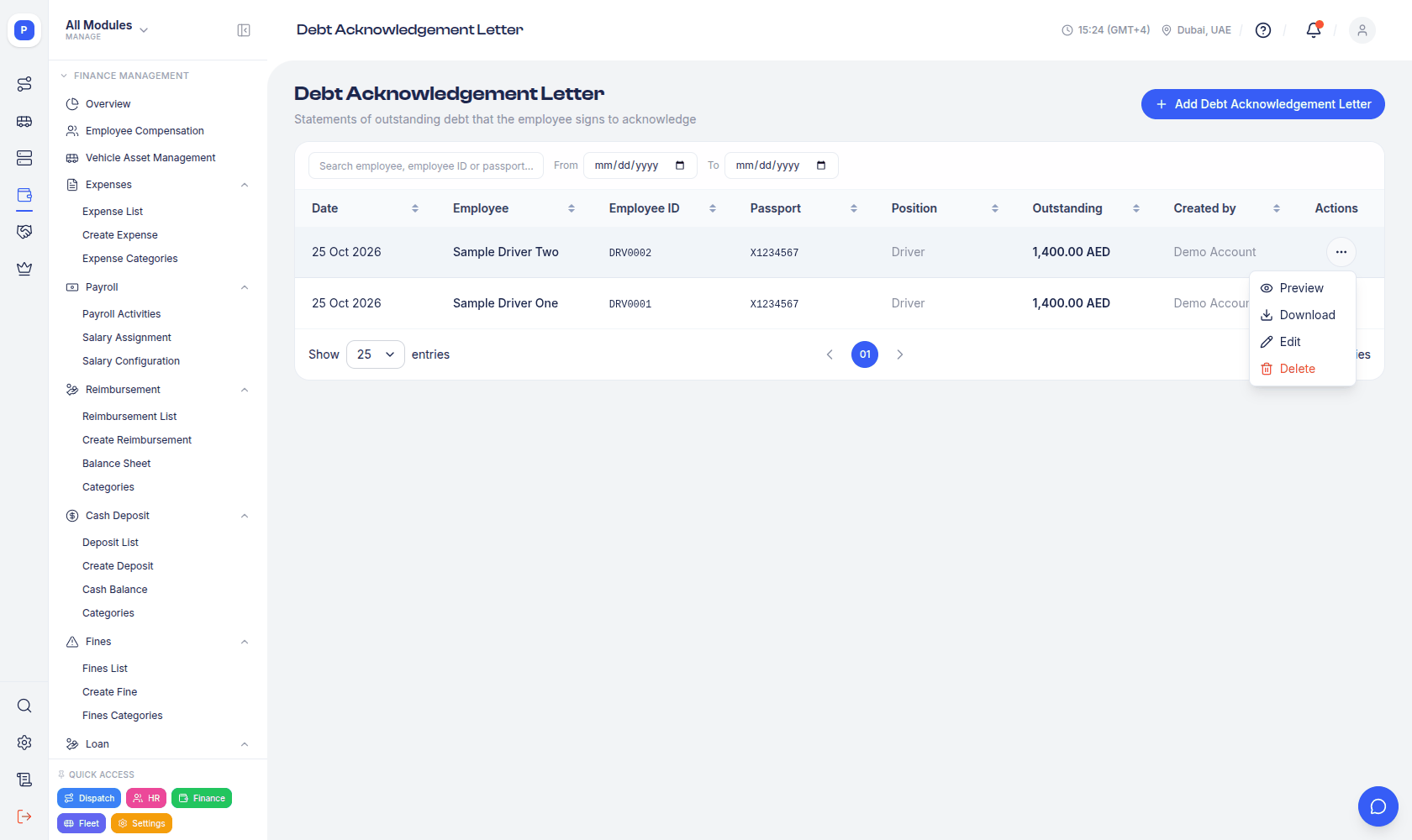
- Preview and Download open or save the saved letter as PDF.
- Edit (edit permission) opens the form with the saved values; Save & Generate updates the record and builds the PDF again.
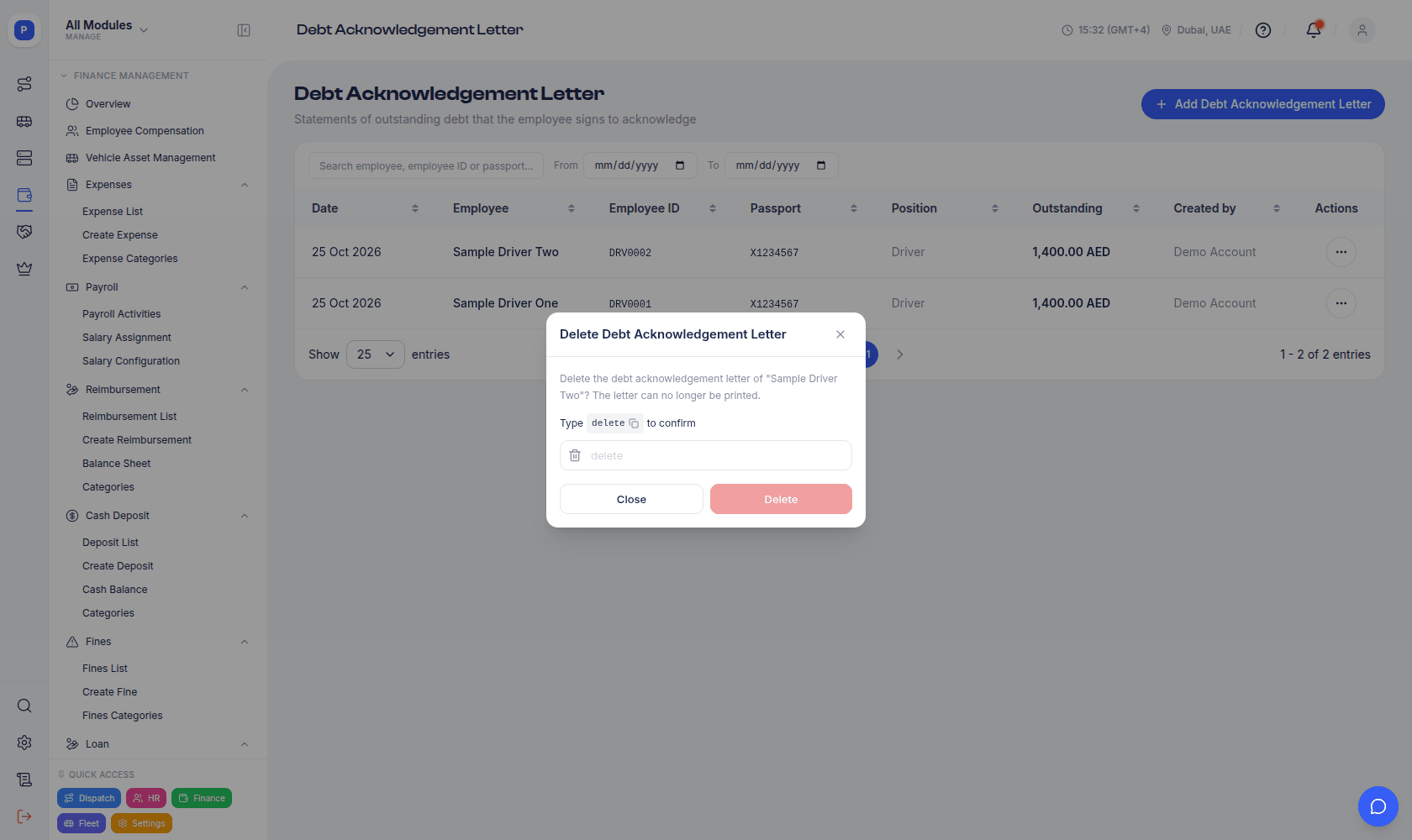
- Delete (delete permission) opens Delete Debt Acknowledgement Letter. Confirm and the row disappears (Debt acknowledgement letter deleted); the record is only marked as deleted.
Court/MOHRE/Al Adheed Docs
Prepare the claim documents against an employee - a statement of claim for the Dubai Labor Court or MOHRE, or a claim letter for Al Adheed - with the loans, traffic fines and evidence annexes, as one PDF.
Employees
The Employees list — find people, filter, switch between list and grid, change status, open a profile and what each row action does.