Vehicle Ownership Transfer
Generate the Arabic no-objection certificate (NOC) for transferring a vehicle to a buyer at the RTA, and keep every certificate in a list.
Finance > Document Generator > Vehicle Ownership Transfer issues the NOC for vehicle ownership transfer to RTA: an Arabic certificate of no objection on the company letterhead, addressed to the RTA, naming the vehicle and the buyer. The list, the preview and the letter settings work as described in Document Generator.
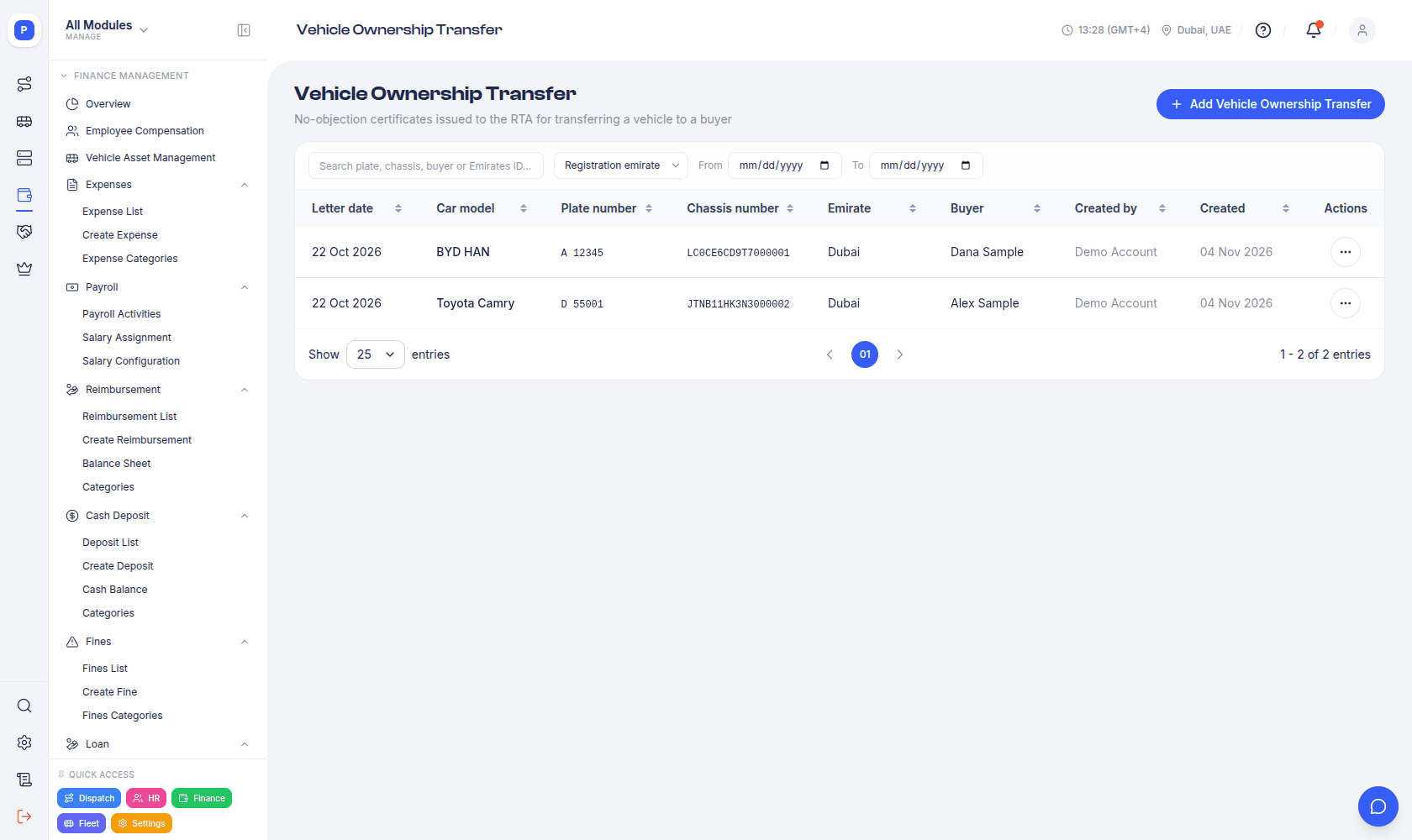
The list
| Column | Shows |
|---|---|
| Letter date | The date on the certificate |
| Car model, Plate number, Chassis number | The vehicle |
| Emirate | The emirate where the vehicle is registered |
| Buyer | The buyer's name in English |
| Created by, Created | Who generated it and when |
| Actions | The ... menu: Preview, Download, Edit, Delete |
The search box finds a certificate by plate, chassis, buyer or Emirates ID. A list next to it, Registration emirate, narrows the list to one emirate, and From / To limit the letter date. Clear All resets them. The page says No vehicle ownership transfer letters yet when the list is empty.
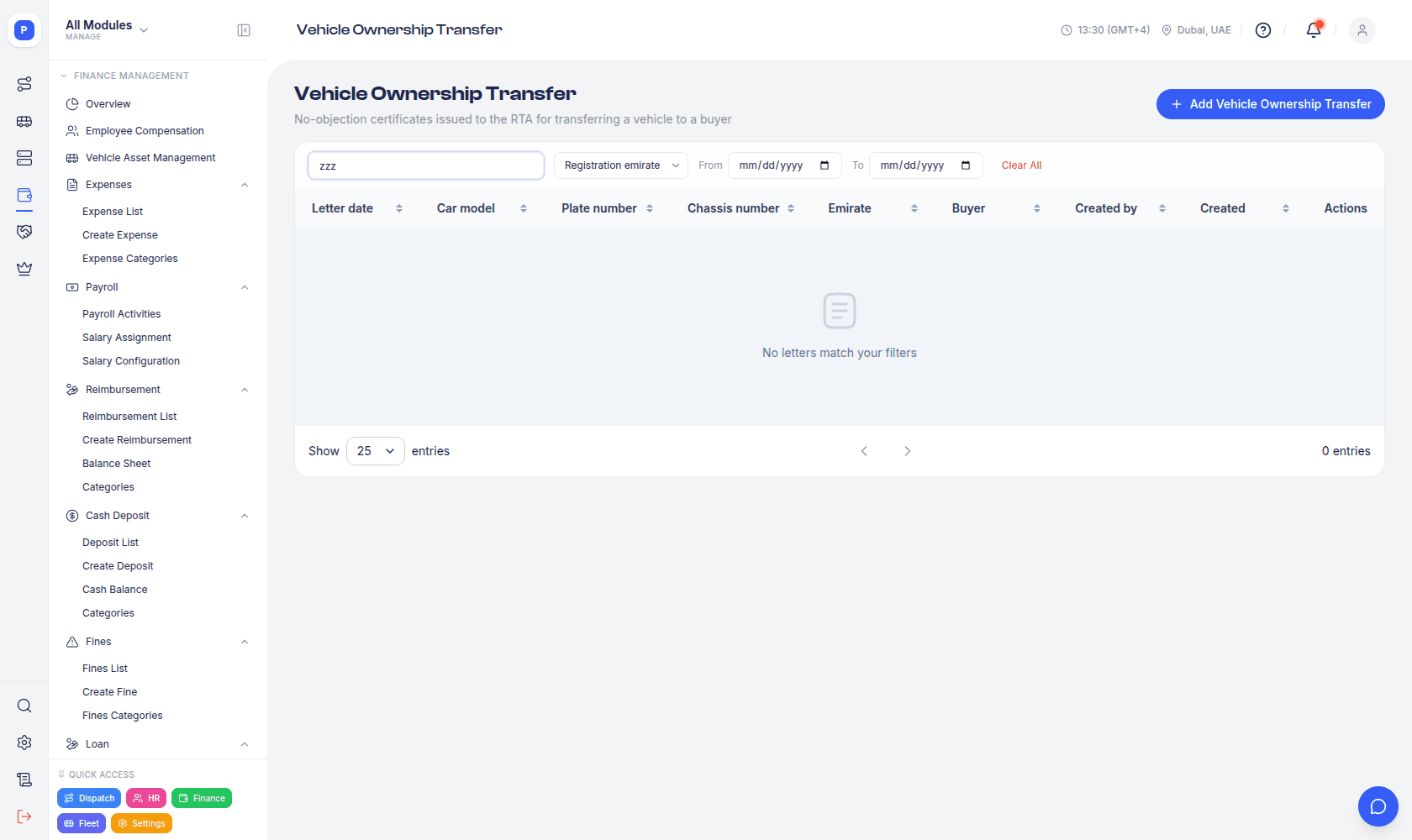
Add a certificate
Add Vehicle Ownership Transfer (top right, add permission) opens the form.
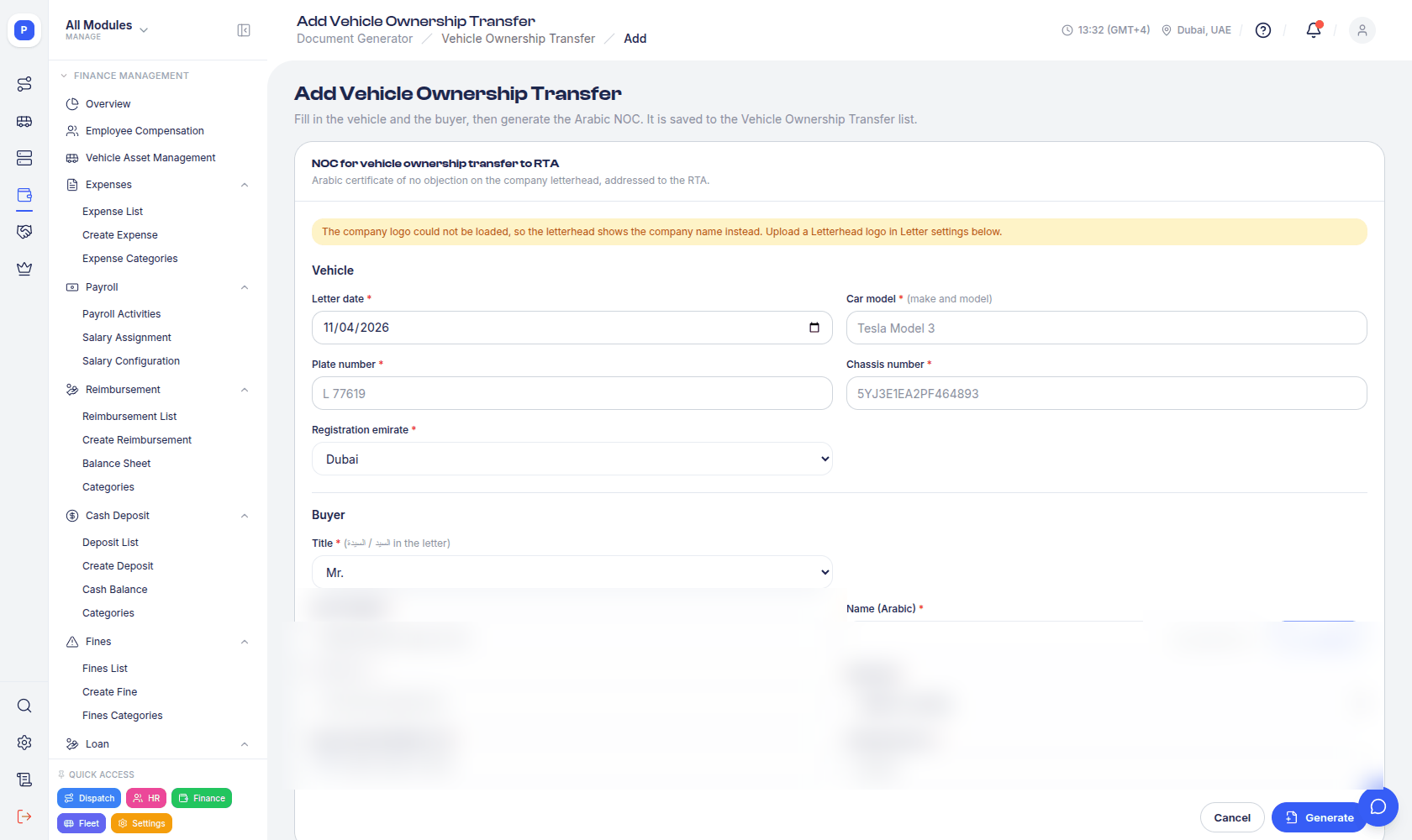
| Field | Required | Rule |
|---|---|---|
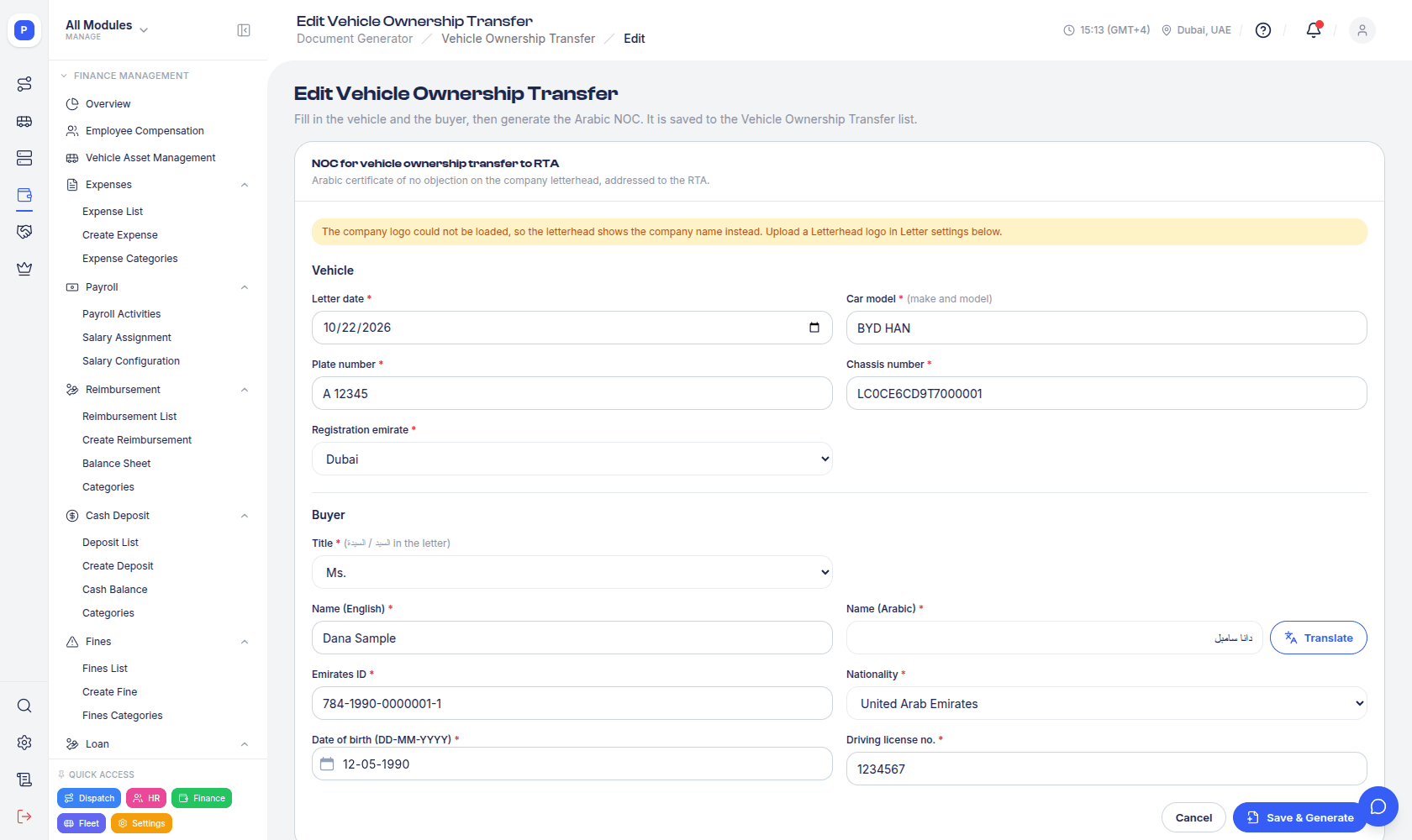
| Letter date | Yes | A date; today by default |
| Car model | Yes | Make and model, for example Tesla Model 3: letters, numbers and . - / + ( ), 2 to 80 characters |
| Plate number | Yes | Letters, numbers, spaces and -, up to 15 characters (shown in capitals) |
| Chassis number | Yes | Letters, numbers and -, 5 to 30 characters (shown in capitals) |
| Registration emirate | Yes | Dubai, Abu Dhabi, Sharjah, Ajman, Umm Al Quwain, Ras Al Khaimah or Fujairah |
| Title | Yes | Mr. or Ms.: it becomes السيد or السيدة in the letter |
| Name (English) | Yes | The buyer's name: letters, spaces and . ' - only, 2 to 100 characters |
| Name (Arabic) | Yes | The buyer's name in Arabic letters. The Translate button suggests it from the English name; a suggestion from the model is flagged Auto-translated by the model, please check the spelling before generating. When the translation is not configured the button is disabled and you type the Arabic yourself |
| Emirates ID | Yes | The format 784-YYYY-NNNNNNN-C: the dashes are added as you type the 15 digits |
| Nationality | Yes | A country from the list |
| Date of birth | Yes | A real date in the past, written DD-MM-YYYY (a date picker helps) |
| Driving license no. | Yes | Letters, numbers and -, 3 to 20 characters (shown in capitals) |
Click Generate. If a field is wrong each one shows its message and nothing is saved.
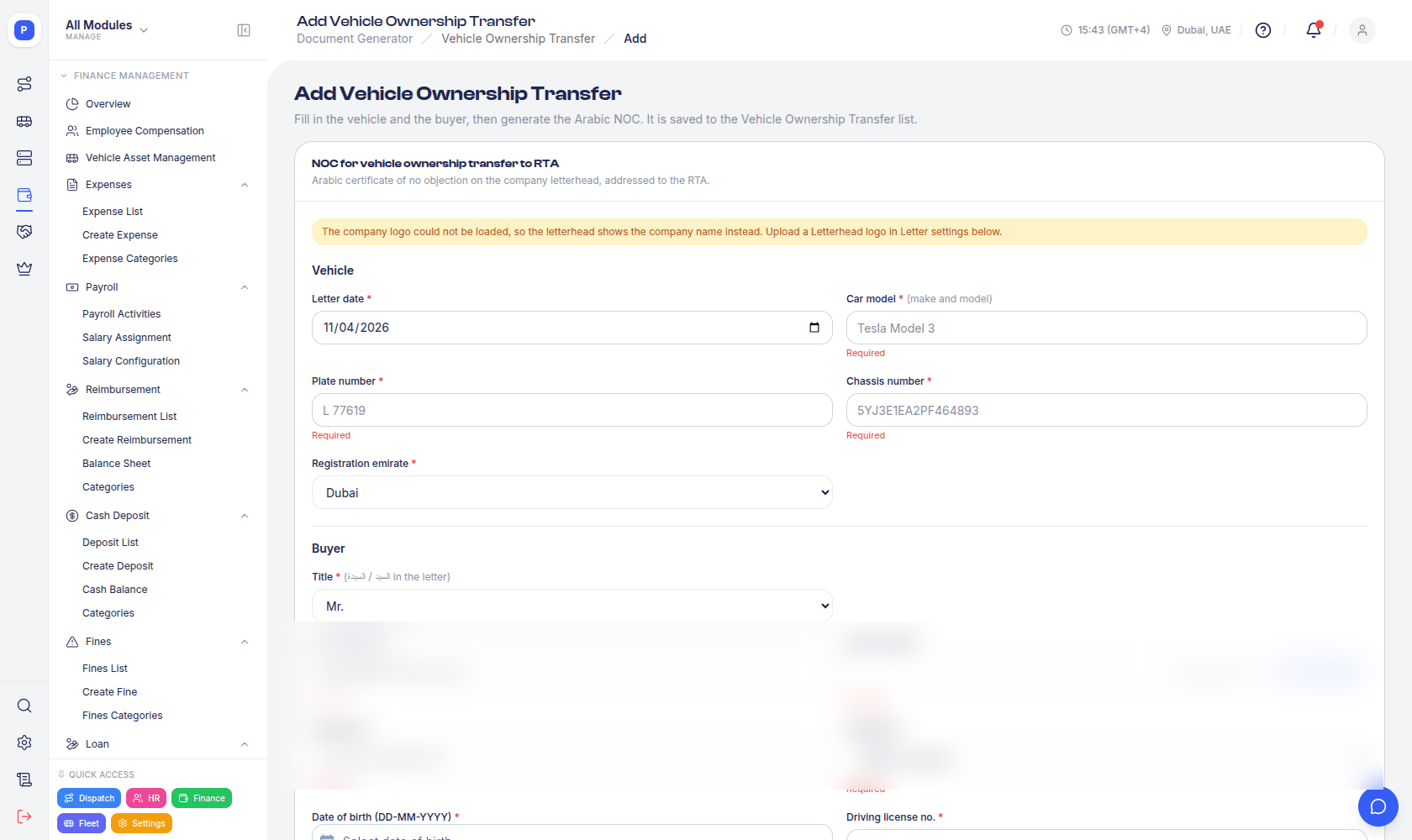
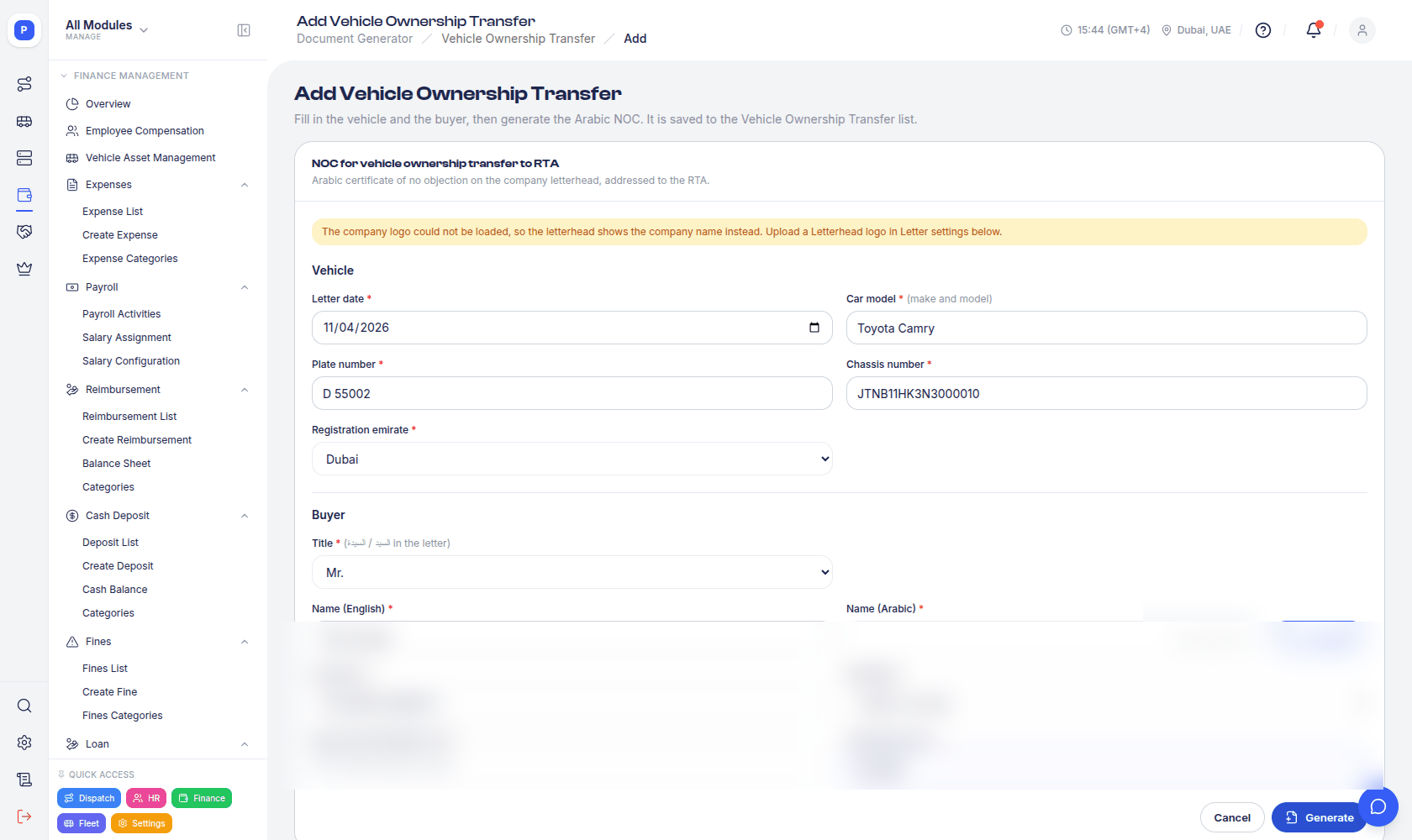
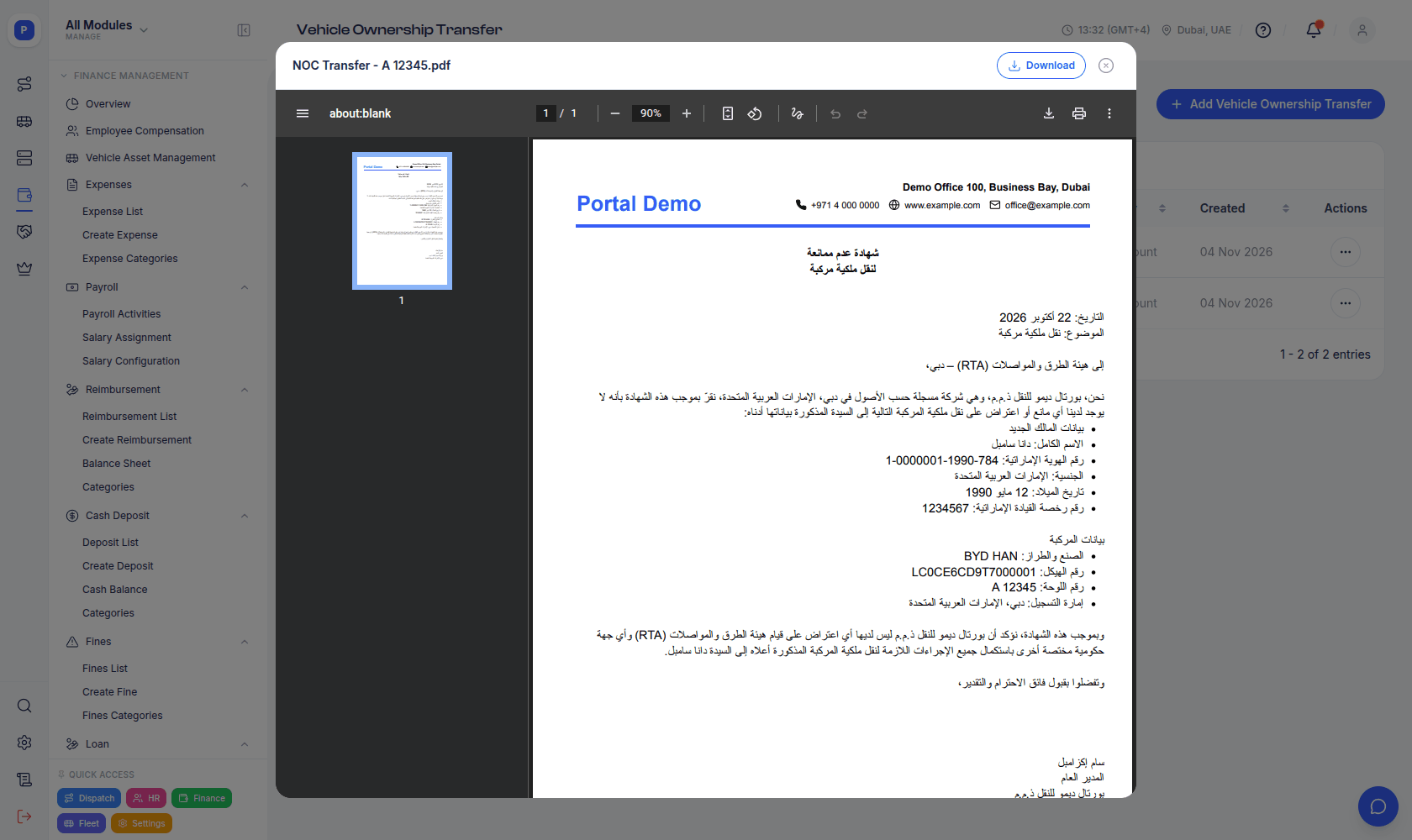
When the form is valid the certificate is saved and the PDF opens in a preview window; Download keeps the file, and closing the window returns to the list. Generate is disabled while the signer's Arabic name is missing in the letter settings. The server also checks the nationality (it must be a known country) and the date of birth (a real date in the past) and answers with the reason if it refuses.
Letter settings
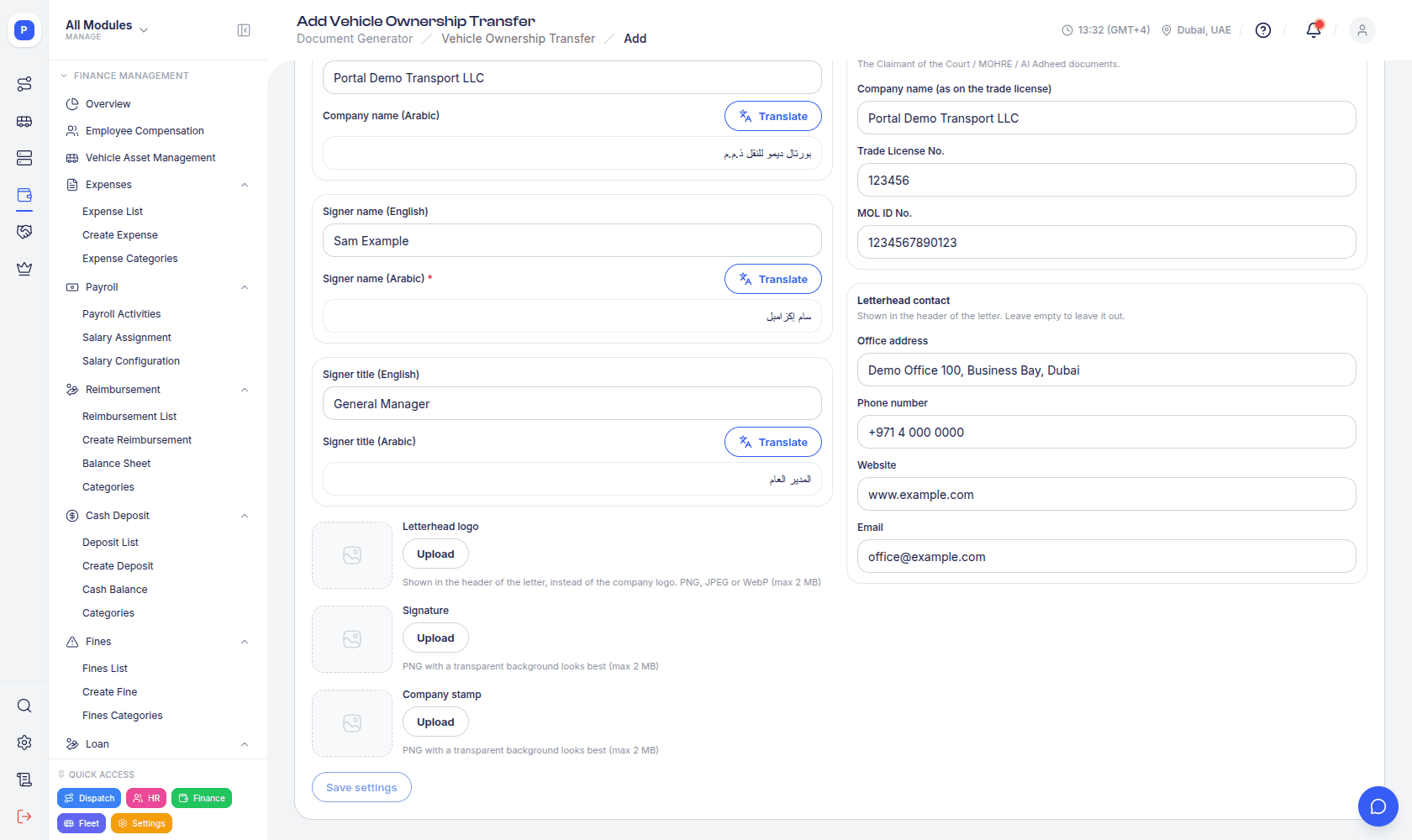
Under the form is the shared Letter settings panel (company names, signer, legal details, letterhead contact and the logo / signature / stamp). It is saved once for the company and reused by every letter; the fields and the Translate buttons are described in Document Generator. Generate stays disabled until the signer's Arabic name is filled in there.
Preview, download, edit and delete
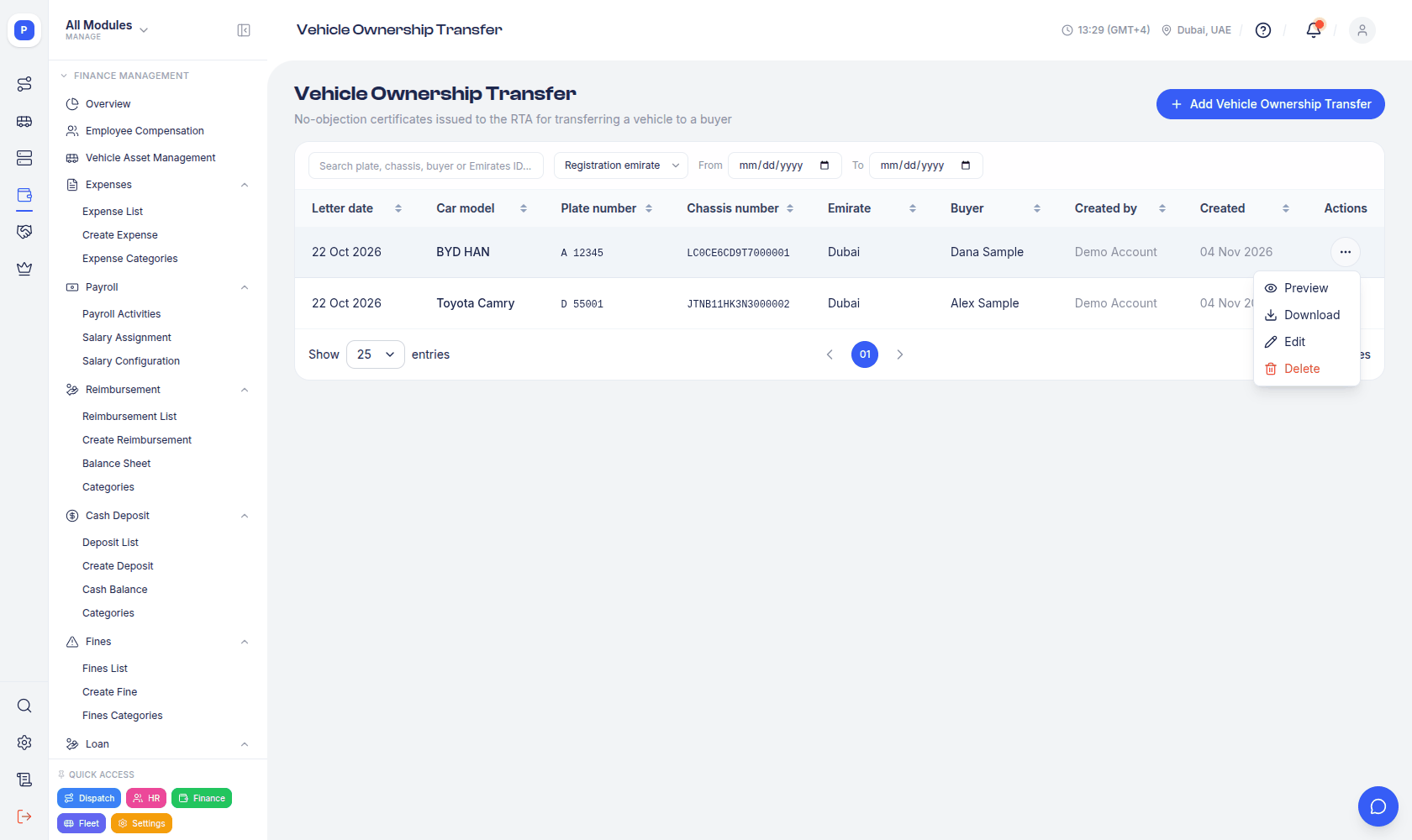
- Preview and Download open or save the saved certificate as PDF.
- Edit (edit permission) opens the form with the saved values; Save & Generate updates the record and builds the PDF again.
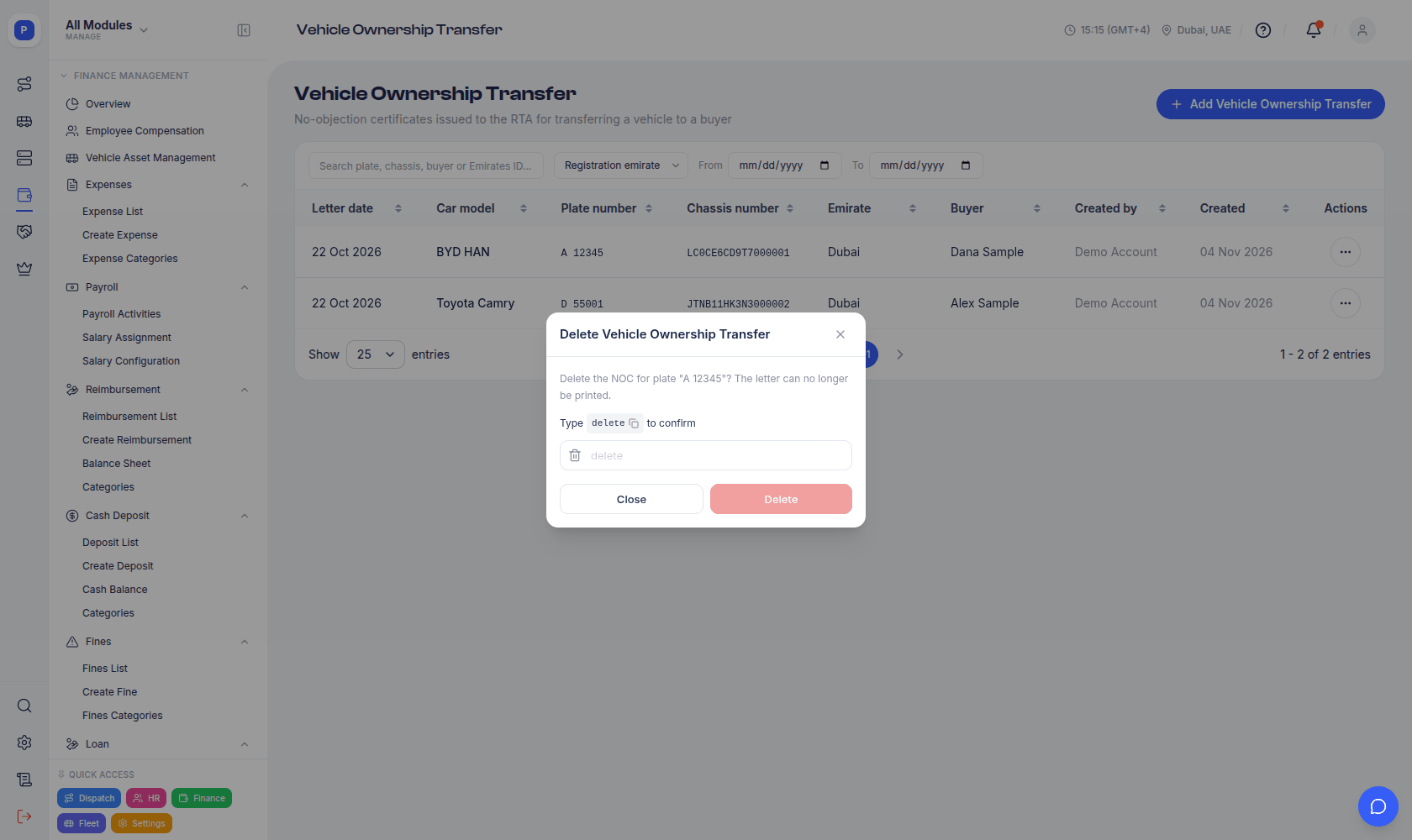
- Delete (delete permission) opens Delete Vehicle Ownership Transfer. Confirm and the row disappears; the record is only marked as deleted in the database.
Vehicle Registration
Generate the Arabic no-objection certificate (NOC) that lets a vehicle be registered with the RTA, and keep every certificate in a list.
Court/MOHRE/Al Adheed Docs
Prepare the claim documents against an employee - a statement of claim for the Dubai Labor Court or MOHRE, or a claim letter for Al Adheed - with the loans, traffic fines and evidence annexes, as one PDF.